

In most Indian businesses, a surprising amount of the working day goes into moving information from one place to another. A lead comes in on the website or IndiaMART, someone copies it into a spreadsheet, someone else sends a WhatsApp reply, and at the end of the month a third person types the invoices into Tally. None of it is hard work, which is exactly why it's a good candidate for automation.
AI automation takes that a step further. Instead of only moving data along fixed rules, a workflow can now read an email, pull the amount and GST number out of a PDF invoice, or draft a reply for someone to approve. This guide covers what that costs to build in India in 2026, how the three tools most teams start with (n8n, Make and Zapier) actually charge, which use cases tend to pay back first, and how to hire a partner company to build it for you.
If you only have a minute
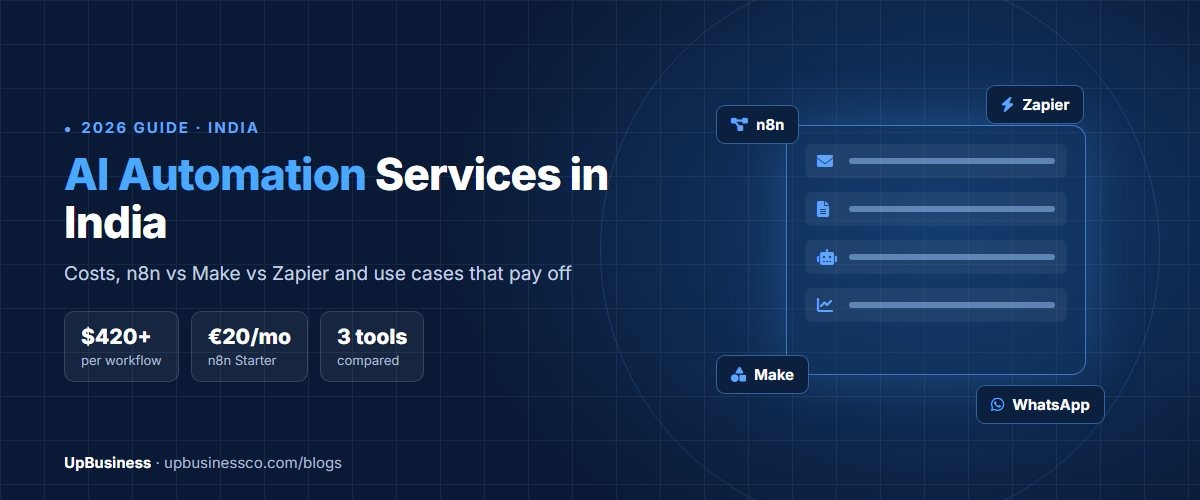
- A single, well-scoped workflow usually costs $420–790 to build, a set of 10 or more workflows $1,050–2,100, and a workflow with an AI step $790–2,100[1].
- Ongoing changes and upkeep on a retainer typically run $130–530 a month[1].
- n8n's paid cloud plans start at €20 a month billed annually, and its self-hosted Community edition is free[2][3]. Make has a free plan with 1,000 credits a month[4], and Zapier's free plan includes 100 tasks a month[5].
- The tools count usage differently, so the same workflow can cost very different amounts on each. More on that below.
What AI Automation Actually Means
Browse our curated list of AI Automation Companies
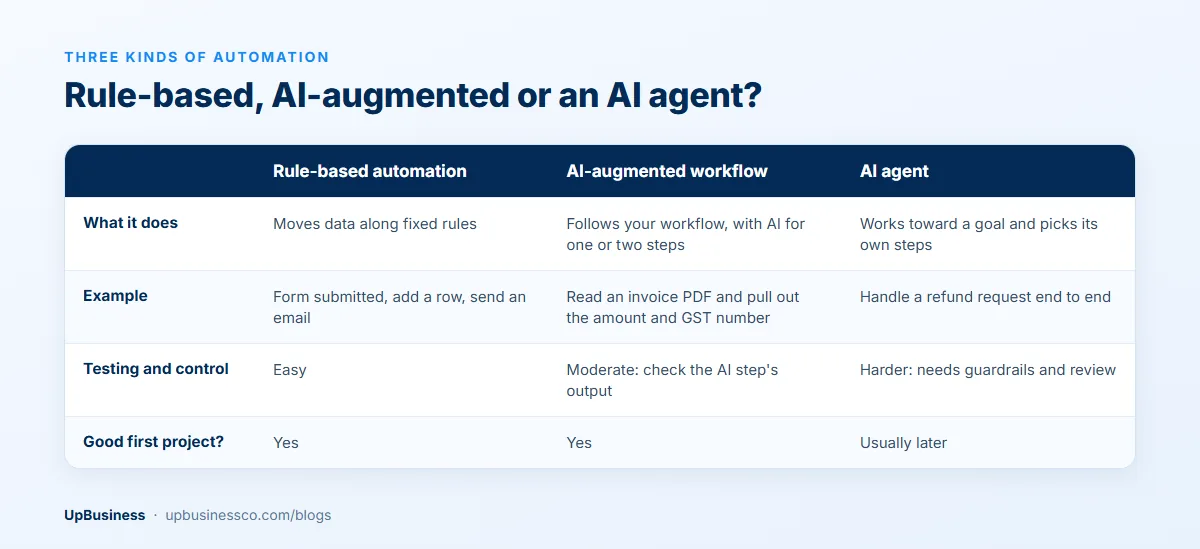
People use "AI automation" for three different things, and the difference matters when you're comparing quotes.
Plain workflow automation follows fixed rules: when a form is submitted, add a row to the sheet and send an email. There's no AI in it at all, and for a lot of businesses this is where most of the value is. AI-augmented automation adds a step that needs some judgement, such as reading an incoming email to work out whether it's a sales lead, a complaint or an invoice, or extracting fields from a scanned document. An AI agent goes further again and decides which steps to take on its own, which we covered separately in our guide to AI agent development companies.
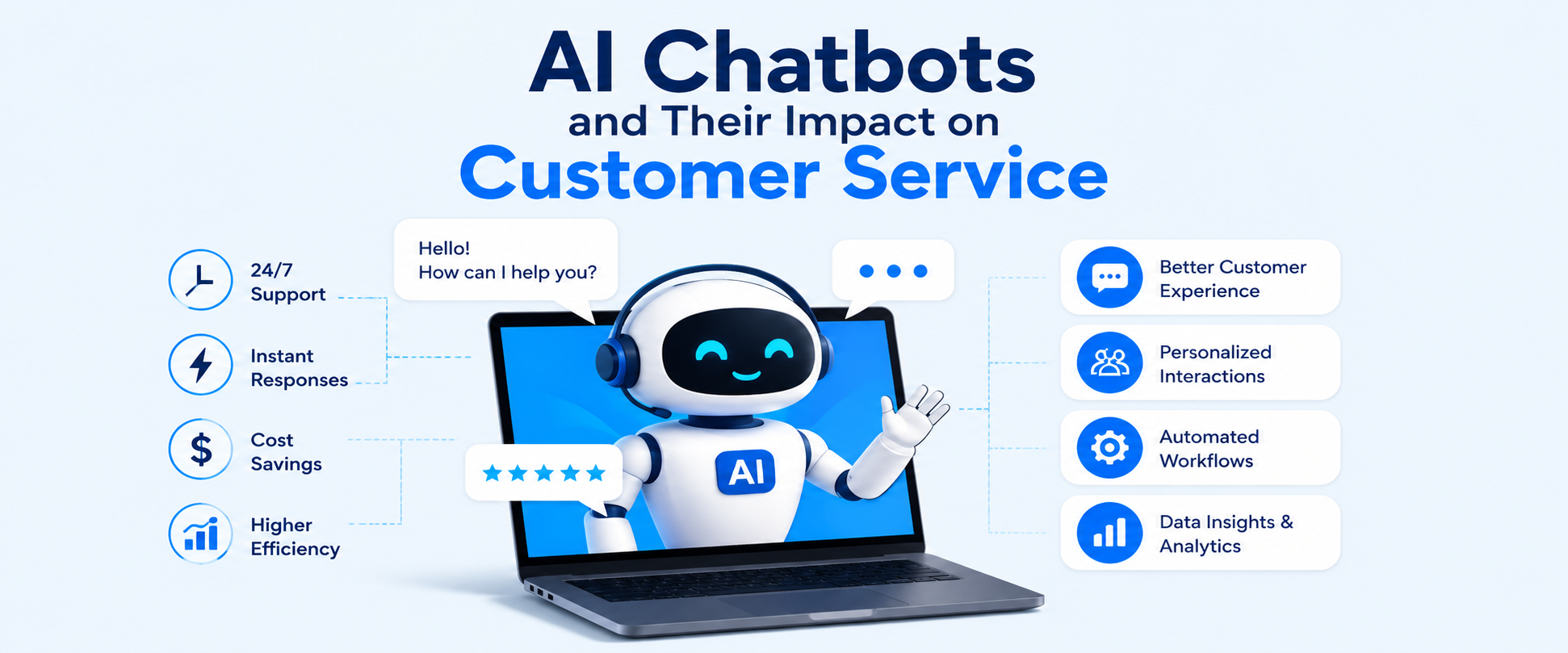
Most companies get the best return by starting with the first two. They're cheaper, easier to test and much less likely to surprise you in front of a customer. If a customer-facing assistant is what you're after, our AI chatbots guide is the better starting point.
Use Cases That Usually Pay Back First
Browse our curated list of AI Automation Companies
The workflows below come up again and again because they're high-volume, rule-heavy and annoying to do by hand. They're examples of the kind of work partner companies build, not promises of specific savings.
- Lead handling. New enquiries from your website, Meta ads or marketplaces go straight into your CRM, get tagged by an AI step (budget, location, service), and the right salesperson gets a WhatsApp or email alert within a minute. Partner companies that specialise in CRM integration can build this.
- Invoice and document processing. Purchase orders, invoices and KYC documents arrive by email, an AI step reads the key fields, and the data lands in Tally, Zoho Books or your ERP for a person to check. This overlaps with intelligent document processing.
- WhatsApp follow-ups. Order updates, payment reminders and appointment confirmations go out automatically. Meta charges per delivered template message, while ordinary replies inside an open customer service window are free[6], so it's worth designing flows around that. See WhatsApp automation specialists for this.
- Support triage. Incoming tickets are sorted by topic and urgency, and a first draft of the reply is prepared for the agent to edit rather than write from scratch.
- Daily reports. Sales, stock or collections numbers are pulled from several systems each morning and sent to the owner on WhatsApp or email, instead of someone building the same sheet by hand every day.
n8n vs Make vs Zapier: Which Tool Fits
All three connect hundreds of apps without much code, so the real differences are in how they charge, whether you can host them yourself, and how much a non-developer can manage on their own.
| n8n | Make | Zapier | |
|---|---|---|---|
| How usage is counted | One execution per full workflow run, however many steps it has | Credits used as each module runs, including the trigger check | One task per successful action step; triggers are free |
| Free option | Self-hosted Community edition | 1,000 credits a month | 100 tasks a month |
| Entry paid plan | €20/month billed annually, 2,500 executions | $9/month for 5,000 credits | $19.99/month billed annually, 750 tasks |
| Self-hosting | Yes | No | No |
| Usually suits | Technical teams, high volumes, data that must stay on your servers | Visual builders who want more control than Zapier | Non-technical teams who want the fastest start |
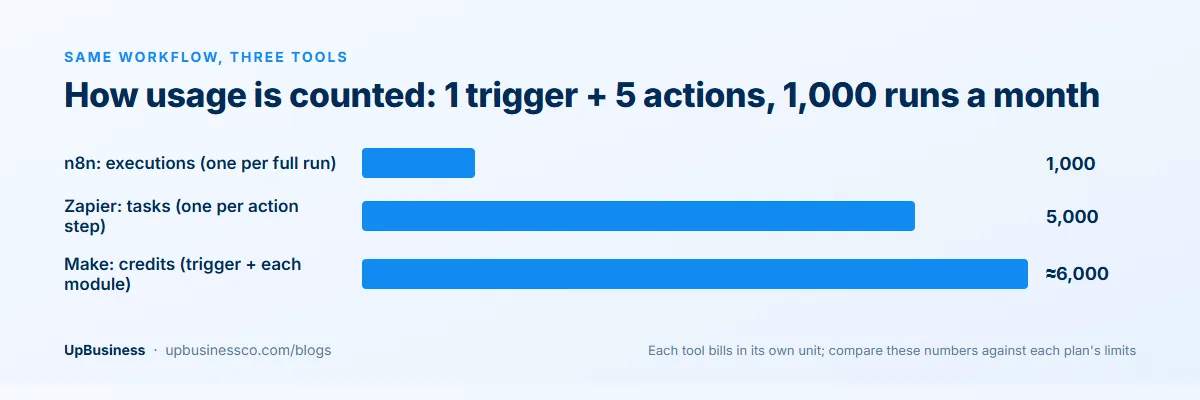
The counting rules are the part people miss. n8n defines an execution as a single run of the entire workflow, no matter how many steps are in it[2]. Zapier charges one task for each successful action step, while triggers don't use tasks[7]. Make uses a credit for the trigger and then a credit for each module operation that follows[8].
So take a workflow with one trigger and five actions that runs 1,000 times a month. On n8n that's 1,000 executions, which fits inside the 2,500 on the Starter plan. On Zapier it's 5,000 tasks, which puts you on the $89-a-month (billed annually) Professional tier[5]. On Make it's roughly 6,000 credits if each step handles one item, a little more than the 5,000 in the entry tier. The longer your workflows get, the wider that gap becomes.
When Self-Hosting n8n Makes Sense
Without a licence key, n8n runs as the free Community edition, which you install on your own server, typically with Docker[3]. That removes the per-execution bill and keeps customer data on infrastructure you control, which some businesses prefer for privacy reasons. The trade-off is that someone now has to look after that server: updates, backups, monitoring and security. A partner company will usually charge $370–1,050 to set it up, plus ongoing support[1]. If you don't have anyone technical in-house, a cloud plan is often cheaper in practice. Specialists in n8n, Make and Zapier can help you choose.
What AI Automation Costs in India (2026)
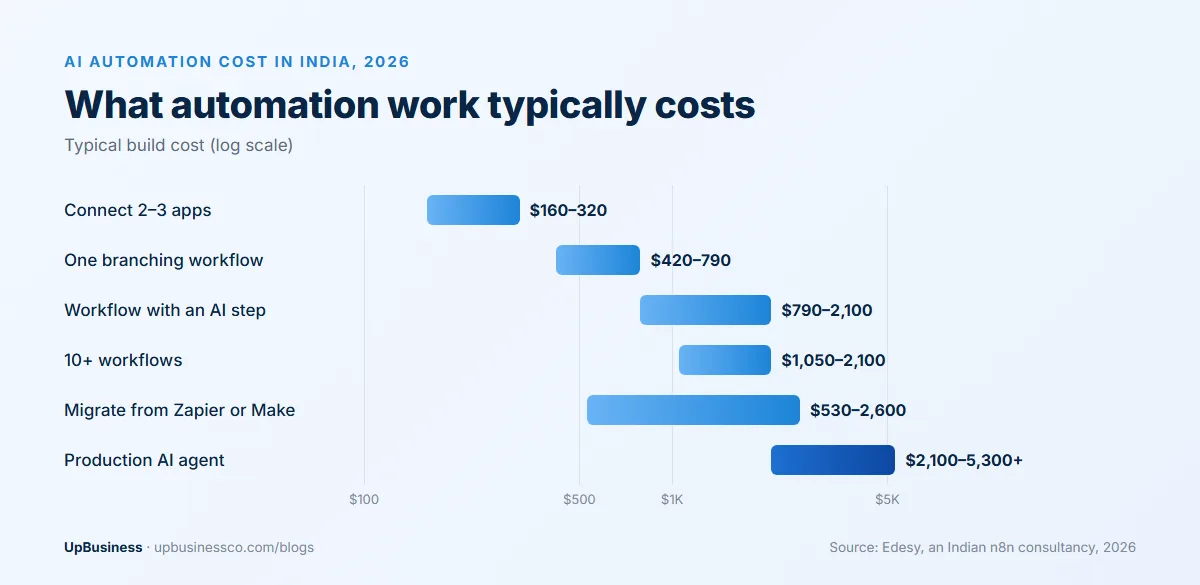
The figures below come from a 2026 pricing guide published by Edesy, an Indian n8n consultancy[1], so treat them as one firm's view of the market rather than a survey. Use them as a starting point and compare them with the itemised quotes you receive.
| Work | Typical cost | Typical timeline |
|---|---|---|
| Connect 2–3 apps with standard steps | $160–320 | A few days |
| One workflow with branching logic across ~5 apps | $420–790 | 3–7 days |
| Workflow with an AI step (reading, classifying, drafting) | $790–2,100 | 1–3 weeks |
| A set of 10 or more workflows | $1,050–2,100 | 2–3 weeks |
| Moving existing automations from Zapier or Make to n8n | $530–2,600 | 2–4 weeks |
| Production AI agent with memory and document search | $2,100–5,300+ | Several weeks |
Who builds it changes the price as much as what's built. The same guide puts freelancers on marketplaces at roughly $5–26 an hour, general automation agencies at $32–63 and enterprise consultancies at $63–160[1]. Cheaper isn't always worse for a simple flow, but for anything touching payments, customer data or your accounts, it's worth paying for someone who builds in error handling and alerts.
Running Costs to Budget For
- The tool itself: a monthly plan on n8n, Make or Zapier, or a small server if you self-host.
- AI usage: workflows with an AI step pay the model provider per request, so a flow that runs thousands of times a day needs a usage estimate before you approve it.
- Messaging: WhatsApp template messages are charged per delivery[6], and SMS and email providers bill by volume.
- Upkeep: apps change their APIs, forms get new fields and people leave. A retainer of $130–530 a month is common for keeping things running[1].
What We See on UpBusiness
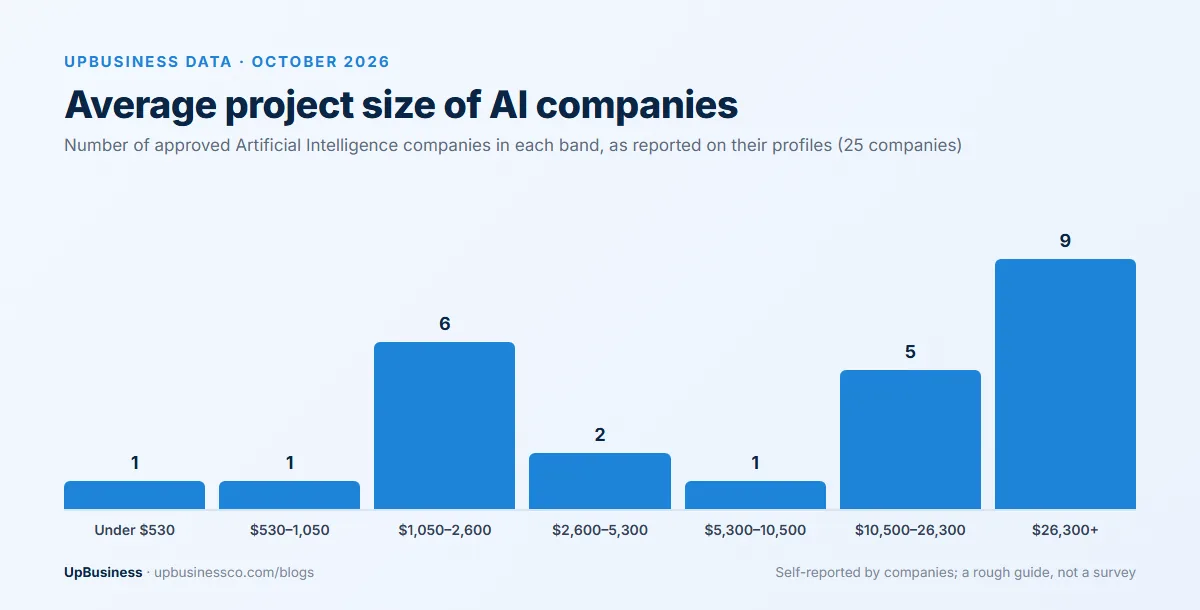
As of October 2026, 14 approved companies are listed under AI Automation on UpBusiness. To give a sense of budgets across AI work more broadly, we looked at what the 25 approved companies in our Artificial Intelligence category report on their own profiles. The numbers are self-reported and the group is small, so read them as a rough guide.
Their median minimum project is about $1,050 and the median average project is around $10,500. Six of the 25 will take on work under $530, which suits a first automation or two, while 14 say their typical project is $10,500 or more, usually larger AI builds than a handful of workflows.
How to Hire an AI Automation Partner Company
Start with two or three workflows you'd like gone, written down in plain language with the apps involved and roughly how often they run. That alone makes quotes far easier to compare.
Questions to Ask
- Which tool would you use for this, and why that one over the others?
- How many executions, tasks or credits will this use each month, and what will the plan cost at our volume?
- What happens when a step fails? Who gets alerted, and does the workflow retry?
- Will everything run on accounts registered to our company, with logins we control?
- Where will customer data be stored, and is any of it sent to an AI model?
- What documentation will we get, and what does a support retainer include?
Red Flags
- Automations built on the agency's own Zapier, Make or n8n account.
- No mention of error handling, logging or alerts.
- API keys and passwords pasted directly into workflow steps rather than stored as credentials.
- A plan to automate everything at once instead of starting with one or two high-volume flows.
Every company in our AI Automation category goes through verification, and you can compare their TrustScores and profiles before you shortlist anyone. Teams that focus on workflow automation or AI agent development are worth a look too. If you'd rather have companies come to you, post your project and get matched with verified teams.