


Browse our curated list of WooCommerce Development Companies
Ask three developers to quote for a WooCommerce store and you can easily get $260, $740 and $2,600 back for what sounds like the same job. WooCommerce makes this worse than most platforms, because the plugin itself is free and almost everything that matters (the theme, the plugins, the hosting and the custom work) is a choice each developer makes differently.
This checklist is for business owners comparing WooCommerce development proposals in India. It covers what a complete proposal should list, what the main line items usually cost, which plugins and recurring fees to watch for, and how to agree maintenance before launch rather than after the first broken update.
If you only have a minute
- WooCommerce is free to install[1], so a proposal is really pricing the theme, plugins, hosting, setup and custom work. Ask for each one on a separate line.
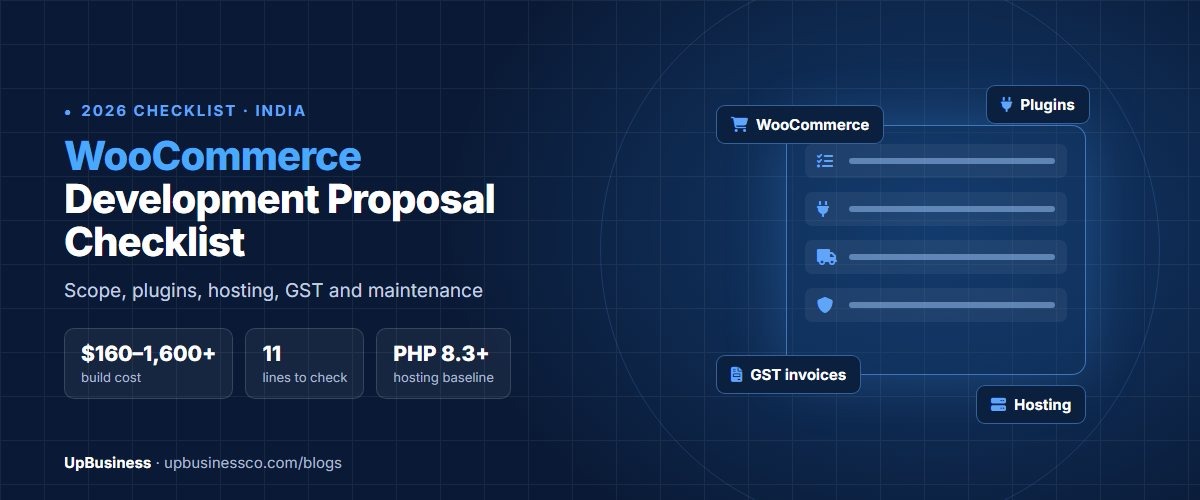
- One 2026 Indian guide puts a basic store at $160–260, a mid-range store with custom design and GST at $420–740, and custom features like bookings or subscriptions at $790–1,600 or more.
- Premium plugins are recurring costs. WooCommerce Subscriptions alone is $280 a year[2], so ask for a plugin list with yearly renewal prices.
- Agree hosting specs, update responsibility and code ownership in writing. WooCommerce now recommends PHP 8.3 or newer[3], and cheap hosting that can’t meet that will cost you later.
Why WooCommerce Quotes Vary So Much
WooCommerce is a free WordPress plugin, and the store you end up with depends on what gets built around it. One developer may install a $26 theme, add the free Razorpay plugin and hand over in a week. Another may design every page from scratch, write custom code for your shipping rules and set up staging, backups and security monitoring.
Both are “WooCommerce development”. The cheap quote isn’t necessarily dishonest; it’s just a smaller project. The problem starts when you compare the two prices without noticing that one of them leaves out half the work.
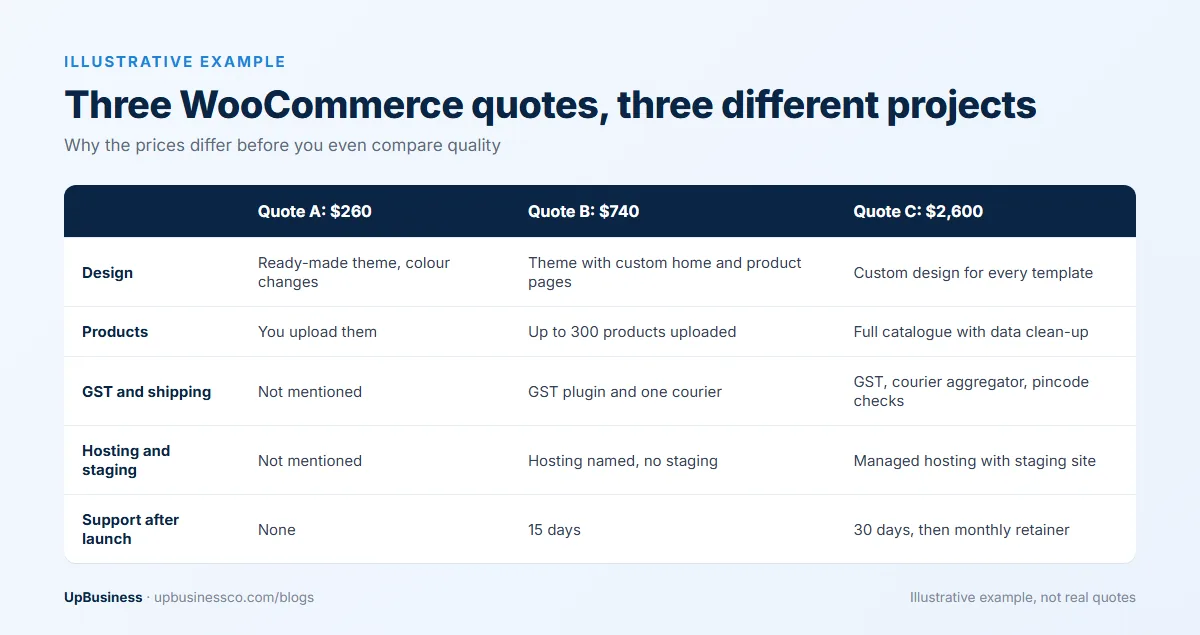
The way to fix this is to send every developer the same written brief, then insist that every proposal is broken into the same line items. Our guide to comparing software development proposals explains how to score them once you have them side by side.
The WooCommerce Development Proposal Checklist
A complete WooCommerce proposal should answer each of the points below. Where a proposal is silent, write “not mentioned” in your comparison sheet and ask the developer to confirm in writing.
| Area | What the proposal should say | Question to ask if it’s missing |
|---|---|---|
| Theme and design | Which theme, whether the licence is included, and how many page templates are custom-designed | Is this a ready-made theme with changes, or a custom design? |
| Products | How many products and variants they will upload, and who cleans the data | Is product upload included, and for how many SKUs? |
| Payments | Which gateway, COD rules, refunds and how failed payments are handled | Will you test live payments and refunds before launch? |
| GST and invoices | GST-compliant invoices, tax settings by state and HSN codes where needed | Which plugin creates our GST invoices, and does it cost extra? |
| Shipping | Courier or aggregator integration, pincode checks and shipping rules | Which courier service will you connect, and who pays for its plan? |
| Plugins | A full list of plugins, free or paid, with yearly renewal prices | Whose name are the paid licences in? |
| Hosting | Hosting provider, plan, PHP version, backups and staging site | Does the plan meet WooCommerce’s current server requirements? |
| Speed and SEO | Page speed targets, image optimisation, redirects from any old site | What page speed will we have on mobile at launch? |
| Testing | Mobile, checkout and payment testing before go-live | Will we get a test checklist to sign off? |
| Ownership | Written transfer of custom code, admin access and all accounts in your name | Will the domain, hosting and admin login be in our company’s name? |
| Support | Free bug-fix period after launch and the monthly maintenance price | What does a monthly retainer include, and what doesn’t it? |
What the Main Line Items Cost in India
The figures below come from a 2026 Indian WooCommerce setup guide. Agency quotes usually sit above the developer ranges shown here, because they include design, project management and testing time.
| Line item | Typical cost in India | Notes |
|---|---|---|
| Basic store build | $160–260 | Under 50 products, standard theme, Razorpay and COD |
| Mid-range store build | $420–740 | 100–300 products, custom design, shipping, GST plugin |
| Custom features | $790–1,600+ | Bookings, multi-seller, subscriptions, custom reports |
| Hosting | About $76–150 a year | Shared business hosting up to a 2 GB cloud server |
| GST invoice plugin | $21–53 one-time | Needed for compliant invoices |
| Major update handling | $21–84 each | 2–4 developer hours per major WooCommerce update |
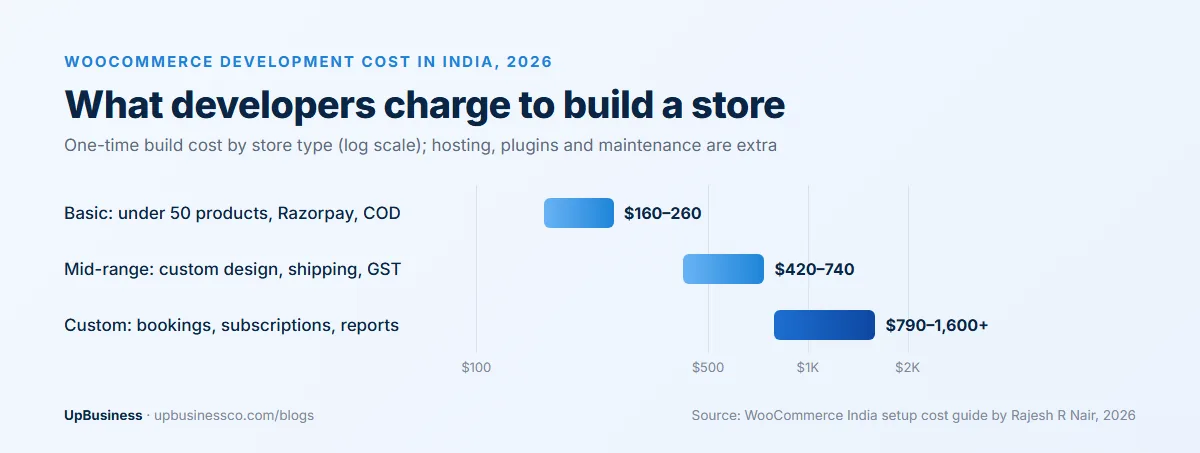
The same guide’s worked examples show how this adds up: about $370 in the first year for an 80-product handicraft store, and about $840 for a fashion brand with more than 200 SKUs. If your quotes are far above that, ask what the extra covers. Often it’s custom design or integrations you actually need, but sometimes it’s padding.
Plugins: The Cost That Keeps Coming Back
A typical WooCommerce store runs on several plugins, and the paid ones renew every year. That’s the line most first-time store owners miss, because the proposal shows a one-time build price and the renewals turn up as card charges months later.
Some plugins cost nothing. The Razorpay plugin for WooCommerce is open source[4], and you pay Razorpay only its transaction fee. Others are expensive: WooCommerce Subscriptions, needed for subscription boxes or repeat orders, is listed at $280 for a one-year plan[2].
Ask every developer for a plugin list in this format: plugin name, what it does, free or paid, yearly renewal price, and whose account it’s licensed to. Two things to watch for in that list. First, plugins that duplicate each other, which slow the store down. Second, paid plugins licensed under the developer’s own account, which stop getting updates if you part ways.
Hosting and Technical Basics to Agree Upfront
WooCommerce’s current server requirements are PHP 8.3 or newer, MySQL 8.0 or MariaDB 10.6 or newer, at least 256 MB of WordPress memory and HTTPS[3]. Cheap shared plans don’t always meet these, and a store that slows down every time you run a sale usually has a hosting problem rather than a design problem.
New stores should also use High-Performance Order Storage (HPOS), which keeps orders in tables built for ecommerce instead of the general WordPress posts table. It’s been on by default for new installs since WooCommerce 8.2, but older stores have to switch it on themselves[5]. If you’re rebuilding an existing store, ask whether the developer will migrate your orders to HPOS and test your plugins with it.
Ask for a staging site as well. It’s a copy of the store where updates and changes are tested before they go live, and without one every plugin update is a small gamble on your live checkout.
Code Ownership and Access
WordPress, WooCommerce and most plugins are open source, but the custom code your developer writes for you is a different matter. Under India’s Copyright Act, the author of a work is its first owner, and a transfer is valid only if it’s in writing and signed[6]. Ask for a clause that assigns all custom code, designs and content created for the project to your company.
Access matters just as much. The domain, hosting account, WordPress admin, payment gateway and every paid plugin licence should be registered to your company’s email, with the developer given their own login that you can remove. It takes a few minutes to set up correctly at the start and can take weeks to untangle if it isn’t.
Maintenance: Agree It Before Launch
WooCommerce, WordPress and plugins all release updates regularly, and some of those updates break things. Somebody has to apply them, test checkout afterwards and fix what breaks. If the proposal doesn’t say who, it will be you, usually on a Sunday night during a sale.
Ask for two prices: a free bug-fix period after launch (30 days is common), and a monthly maintenance retainer that lists what’s included, such as updates, backups, uptime monitoring and a fixed number of support hours. Teams that offer website maintenance on a retainer can take this on if your build partner doesn’t.
Red Flags in a WooCommerce Proposal
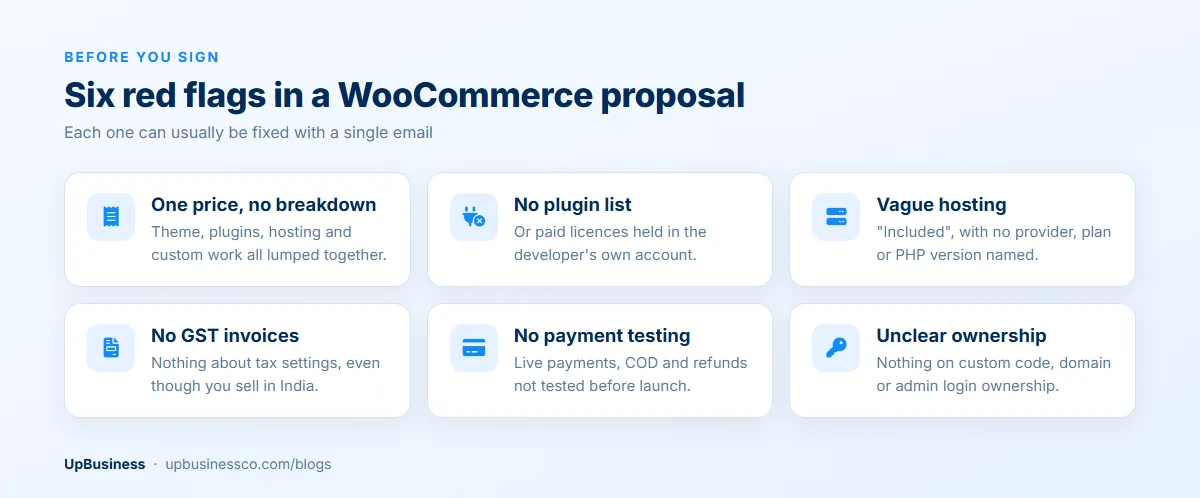
- A single total price with no breakdown into theme, plugins, hosting and custom work.
- No plugin list, or paid plugins that will be licensed under the developer’s account.
- Hosting that’s “included” with no provider, plan or PHP version named.
- No mention of GST invoices, even though you sell in India.
- No testing of live payments, COD and refunds before launch.
- Nothing about who owns the custom code or holds the admin login.
Most of these can be fixed with one email asking the developer to add the missing details. If the answer is vague, treat that as information about how the project will go.
WooCommerce or Shopify?
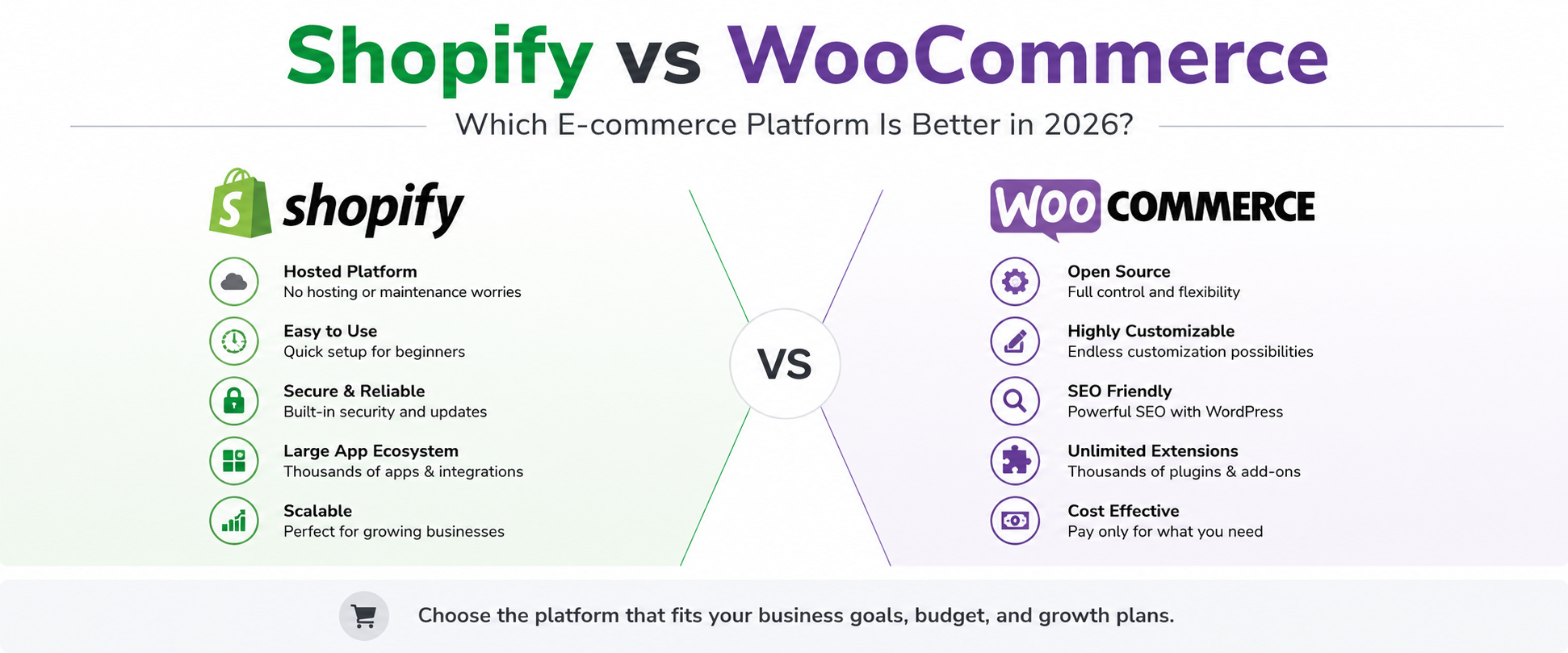
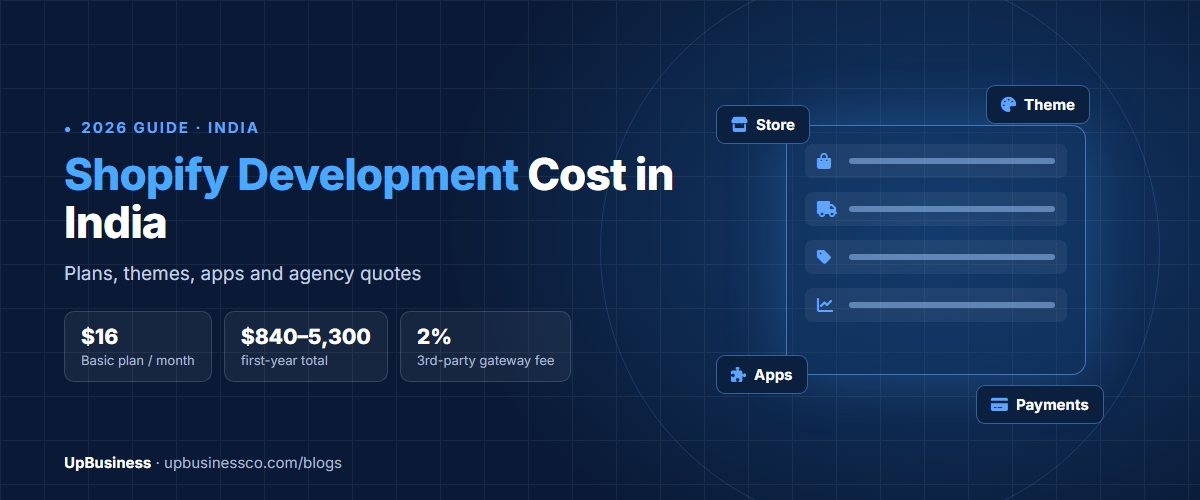
If you’re still choosing the platform, it’s worth settling that before you collect quotes. WooCommerce gives you more control and lower platform fees but needs hosting and maintenance; Shopify is quicker to launch and handles hosting for you, at a monthly price. Our Shopify vs WooCommerce comparison and Shopify development cost guide cover that decision in detail.
UpBusiness Data: WooCommerce Company Project Sizes
Most of the 7 approved WooCommerce development companies on UpBusiness are full-service development firms rather than solo developers. Four of the seven report an average project of $10,500 or more. Three of the seven also take projects under $530, which is where a basic store build falls, so it’s worth asking about a company’s smallest project before ruling it out.
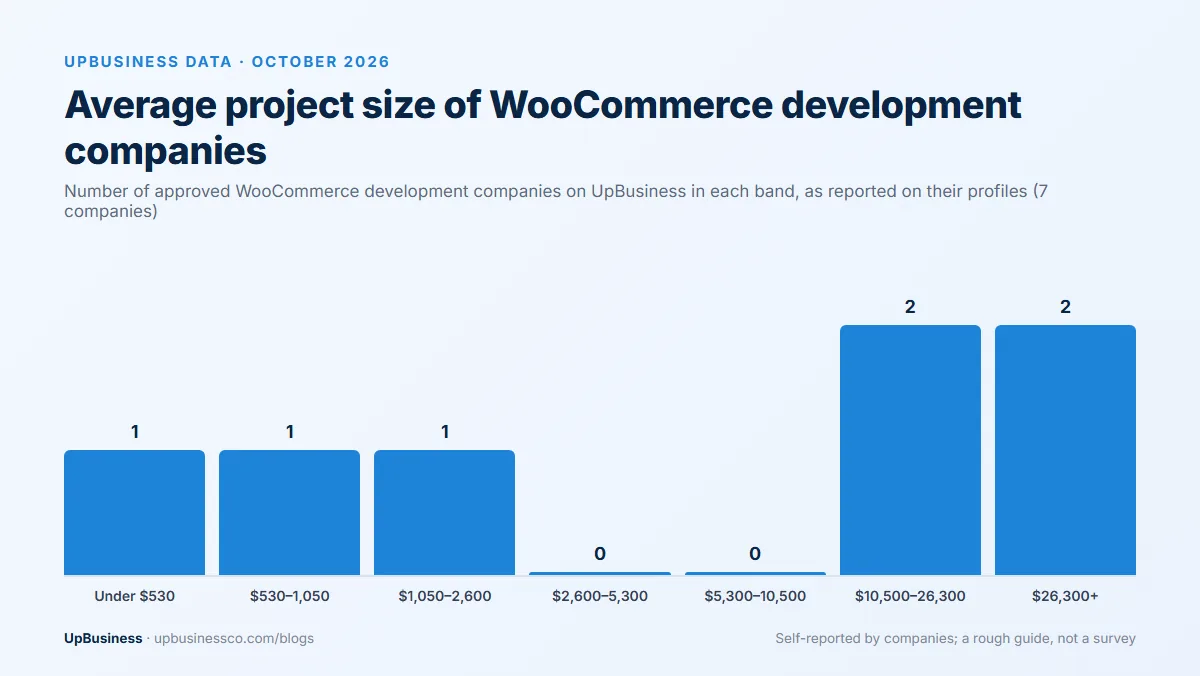
These figures are self-reported on company profiles and cover all the work each company does, not only WooCommerce stores.
Finding a WooCommerce Developer on UpBusiness
On UpBusiness you can compare verified WooCommerce development companies and WordPress developers by TrustScore, project size and profile, and add specialists for payment gateway integration if your checkout needs more than a standard plugin. To get proposals that are easy to compare, post your project once with your brief and let verified partner companies quote against it.