

Custom SaaS development means building your own cloud software instead of renting a ready-made tool. You might use it to run your own business or sell it to other companies as a product. In short, a focused custom SaaS MVP built by an Indian partner company usually costs about $10,000 to $26,000. A platform that serves many customer companies (multi-tenant), with billing and links to other systems, costs about $26,000 to $53,000. Enterprise builds go well beyond that. Building only pays off when your way of working is unusual, per-user fees get large, or the software itself could become a product.
For standard needs, most companies should just buy. Plenty do: worldwide SaaS spending was forecast at $299.1 billion in 2025[1]. This guide is for the founder, COO or IT head who signs off the decision.
It covers when to build, what custom SaaS work includes and real cost ranges in US dollars. You'll also find a five-year cost comparison, the design questions to ask and how to choose a partner company. Where a source quoted Indian currency, we converted at 95 to the US dollar. Check the current rate before you budget.
Key takeaways
- Our SaaS development listing on UpBusiness shows 12 companies (October 2026), but only 7 name SaaS development as a service. Their median average project size is $10,000, ranging from $500 to $25,000.
- One in-house US software developer earns a median $135,980 a year before benefits. That is more than most custom SaaS MVPs cost with an Indian partner company.
- Custom only wins on five-year cost at scale. In our worked example it costs more than renting for 120 users. For 400 users it saves over $215,000.
- Four things decide the real cost: serving many customers from one system, billing, single sign-on and data protection. Settle them in the planning stage, before anyone quotes a fixed price.
What Custom SaaS Development Services Include
A custom SaaS company builds web software that runs in the cloud. People reach it through a browser or app. Updates go out once, for every user. The work usually covers planning, design, the software itself, the database and hosting, user accounts and roles, and links to your other systems. If you plan to sell the product, it also covers subscription billing and tools to manage each customer company.
What makes it different from ordinary custom software is scale. The platform is built to serve many users, or many customer companies, from one shared codebase. That choice affects hosting, security and cost from the first week. Know which kind you're building before you ask for quotes.
Custom SaaS Development Companies on UpBusiness
If you've decided to build rather than buy, these seven are a good place to start. Our SaaS development companies listing shows 12 companies, but only these 7 name SaaS development as a service on their profiles. Each one passed our manual checks of registration papers, founder identity and three client projects. Each holds a TrustScore of 70 or more out of 100. We've put the firms with larger average projects first. A product for many customers, with billing and an admin panel, rarely fits a small budget.
| Partner company | City | Average project size | Team | TrustScore |
|---|---|---|---|---|
| Meetri Infotech | Noida | $25,000 | 11-50 | 72.0 |
| Trirope Technologies | Chennai | $10,000 | 11-50 | 75.0 |
| Kriscent Techno Hub | Kota | $10,000 | 11-50 | 73.62 |
| Nootus AI | Hyderabad | $10,000 | 11-50 | 70.33 |
| Hathor Union | Coimbatore | $1,000 | 1-10 | 71.0 |
| Geonix Software | Surat | $1,000 | 1-10 | 70.33 |
| Digitiohub | Mumbai | $500 | 1-10 | 70.67 |
Average project size is the average each company reports across its client work. It is not a minimum price. For a first version of a product, Trirope, Kriscent and Nootus AI are worth a call. Hathor Union, Geonix Software and Digitiohub report smaller average projects, so they suit a quick test build. For a larger platform with several user roles, system links and a data move, speak to Meetri first. Ask each company to show you a SaaS product it still looks after. If you'd rather not shortlist yourself, post your requirement and we'll match you with three.
Custom SaaS vs Off-the-Shelf Software
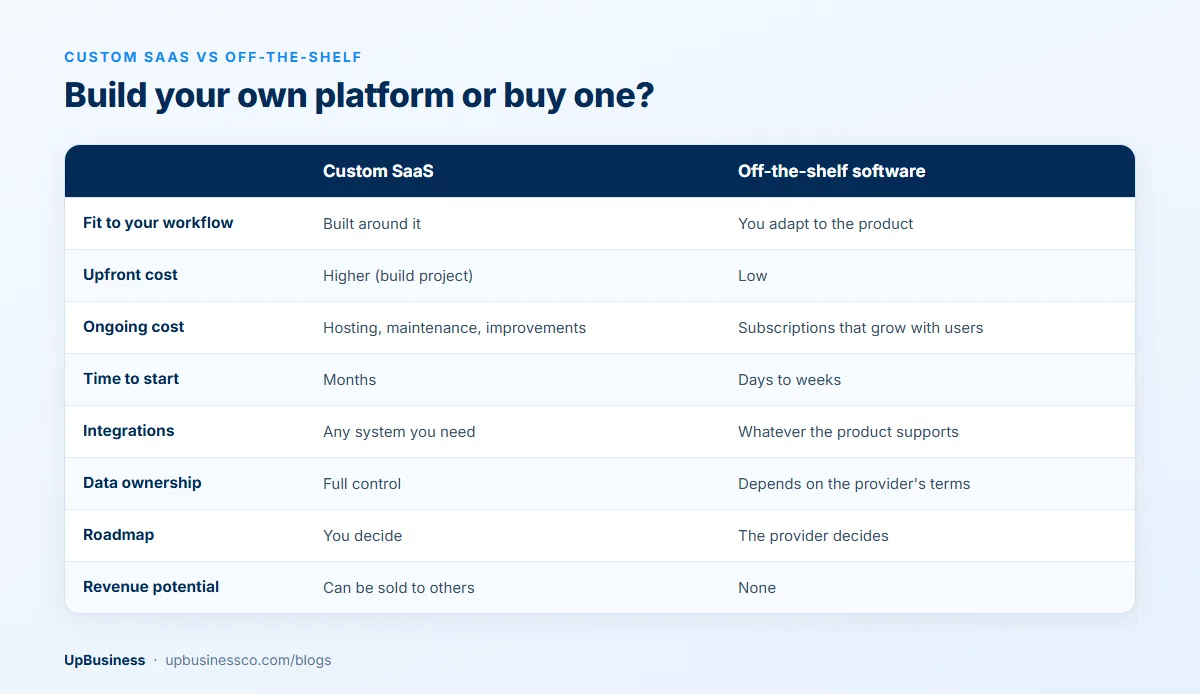
| Factor | Custom SaaS | Off-the-shelf software |
|---|---|---|
| Fit to your workflow | Built around it | You adapt to the product |
| Upfront cost | Higher (build project) | Low |
| Ongoing cost | Hosting, maintenance and improvements | Subscriptions that grow with users |
| Time to start | Months | Days to weeks |
| Integrations | Any system you need | Whatever the product supports |
| Data ownership | Full control | Depends on the provider's terms and export options |
| Roadmap | You decide | The provider decides |
| Revenue potential | Can be sold to others | None |
Benefits of Custom SaaS Development: When Building Pays Off
The clearest case is a process that is how you win. Say generic tools force your team into daily workarounds. They export data into Excel every Monday, or type orders into a second system by hand. Then those tools cost you more than the subscription shows.
Cost at scale is the second reason. Per-user fees across hundreds of staff add up every year and rise with each new hire. Links to other systems are the third. Sometimes the software has to work closely with your ERP, your devices or your partners' systems. A ready-made tool only goes so far.
Some companies build because they need full control of their data, a certain kind of hosting, or data kept in one country. And sometimes the trigger is a product idea. Others in your industry have the same problem and may pay for your answer to it.
Hybrid Options Before a Full Build
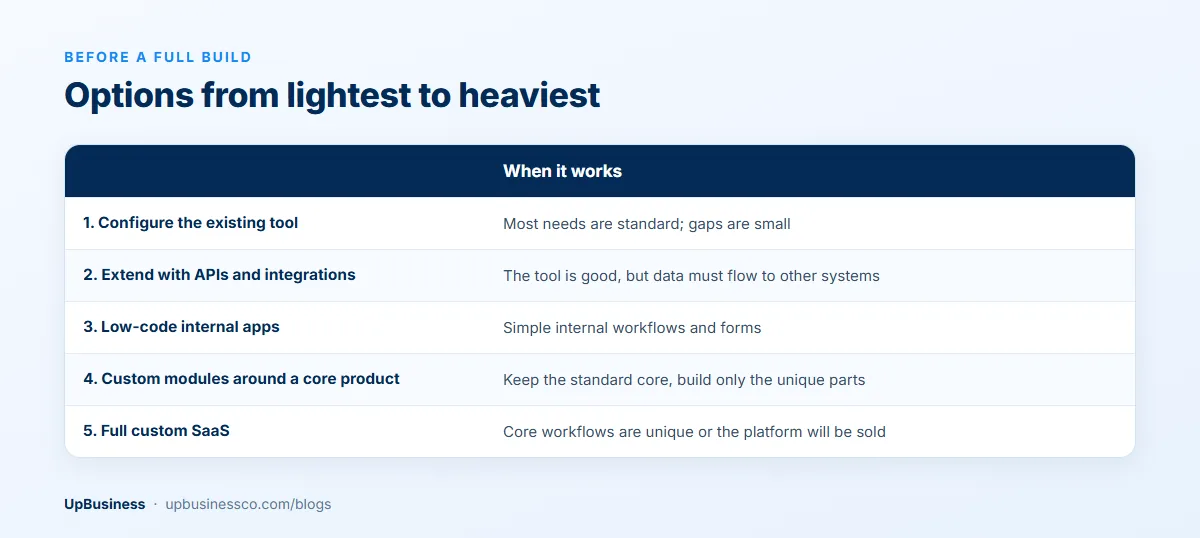
Before you commit to a full build, check if a smaller step solves most of the problem. Many buyers who ask for custom SaaS end up with a custom add-on or a link between tools instead. They spend a fraction of the money.
| Option | When it works |
|---|---|
| Configure the existing tool | Most needs are standard; gaps are small |
| Extend with APIs and integrations | The tool is good, but data must flow to other systems |
| Low-code internal apps | Simple internal workflows and forms |
| Custom modules around a core product | Keep the standard core, build only the unique parts |
| Full custom SaaS | Core workflows are unique or the platform will be sold |
How Much Does Custom SaaS Development Cost?
Custom SaaS cost depends mostly on how many people work for how many months. That comes down to scope. Is it one workflow or many? One customer or many? And how much compliance will the buyers of your product ask for? The table below shows three common tiers, with the price range to expect from an Indian partner company.
| Tier | Typical scope | Indian partner company |
|---|---|---|
| MVP or internal platform | One core workflow, one or two user roles, basic reporting, standard hosting | About $10,000 to $26,000 |
| Mid-size multi-tenant platform | Several workflows, tenant management, subscription billing, 2 to 4 integrations, admin panel | About $26,000 to $53,000 |
| Enterprise platform | SSO, audit logs, granular permissions, compliance reporting, many integrations, high availability | $53,000 and up |
Smaller jobs exist too. A simple portal or a quick test build can come in under $5,300. But it usually won't serve many customers or include billing. When quotes differ by a factor of three, check that you're comparing like with like.
What UpBusiness partner company data shows
Our SaaS development listing shows 12 companies (October 2026). Only 7 of them name SaaS development as a service on their profiles. The figures below cover those 7 only. All 7 are based in India, and their TrustScores run from 70.33 to 75.0.
- Average project size: median $10,000, ranging from $500 to $25,000. This is an average across each company's client work, not a minimum.
- Spread: three of the 7 report an average under $10,000. Three report $10,000, and one, Meetri Infotech, reports $25,000.
- Team size: four have 11 to 50 people and three have 1 to 10.
- Focus: SaaS makes up 40% of Meetri Infotech's listed services and 25% of Geonix Software's. For the other five it is 15% or less.
The spread in project sizes helps when you shortlist. A company with an average of $500 or $1,000 is set up for small builds. One with an average of $25,000 will usually bring a bigger team and more process. That suits a product for many customers better than a quick internal tool.
India vs the US: why the gap is so large
The Bureau of Labor Statistics reports that the median US software developer earned $135,980 a year in May 2025[2]. That's about $11,300 a month in pay alone. Benefits, taxes and office costs come on top. A small in-house team of four working for four months on an MVP would cost about $181,000 in pay. That's far more than $25,000, the largest average project size reported by the SaaS partner companies on UpBusiness.
The gap doesn't mean an Indian build is always the right call. You'll spend more of your own time on reviews and calls across time zones. You also need to be exact about scope, because changes are where outsourced budgets grow. Many buyers in the US, UK and Europe work like this: a product owner on their side and a build team in India. They hold weekly demos and share one task list.
Custom SaaS development cost by country
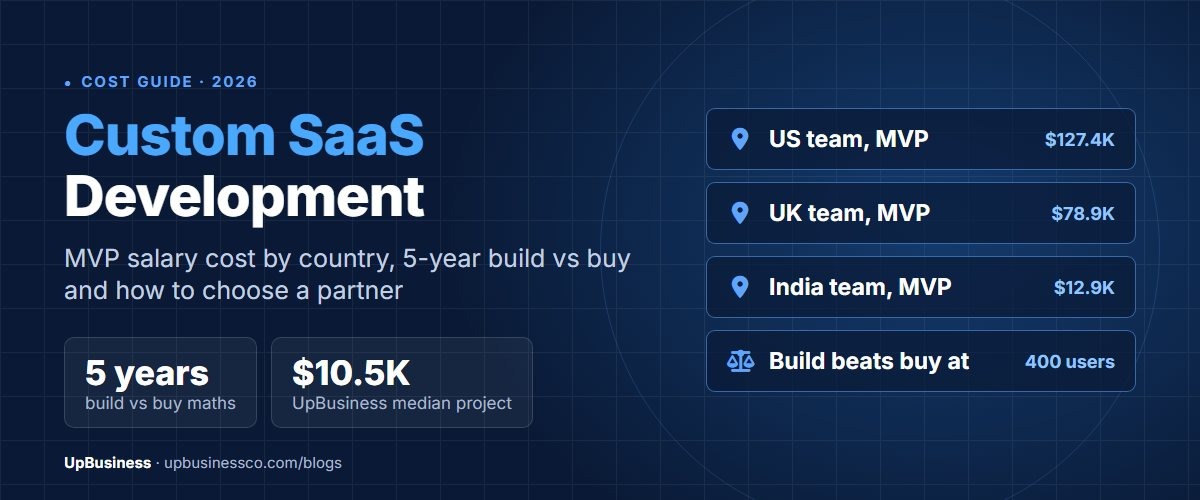
The team's country changes the cost more than almost any scope choice. The table below prices the same two builds using each country's 2025 median full-stack developer salary. The Stack Overflow Developer Survey puts it at $138,000 in the US, $85,429 in the UK, $75,410 in Germany and $13,949 in India[3]. It counts salary only, so read it as a floor. An agency quote adds project management, tools, office costs and profit on top.
| Build | Team and time | India | Germany | UK | US |
|---|---|---|---|---|---|
| Focused MVP or internal platform | 4 people, 12 weeks (48 person-weeks) | $12,900 | $69,600 | $78,900 | $127,400 |
| Multi-tenant platform with billing and integrations | 4 people, 26 weeks (104 person-weeks) | $27,900 | $150,800 | $170,900 | $276,000 |
The Indian figures sit just below the partner prices above: $10,000 to $26,000 for an MVP and $26,000 to $53,000 for a platform for many customers. That is what you'd expect once costs beyond salary are added. For buyers in the US and UK, the same build with a local team usually costs six to ten times more in salary alone. Our guide to MVP development cost shows how these team sizes are worked out.
Browse our curated list of Top SaaS Development Companies
Five-Year Total Cost of Ownership: Two Worked Examples
A fair comparison runs over five years, not just the first invoice. The examples below compare renting a tool at $16 per user per month with building a $47,000 custom platform. For the custom option we assume hosting and outside services of $6,300 to $9,500 a year. Upkeep starts in year two at 20% of the build cost each year. We also add $6,300 a year of your own team's time to manage the product. These are planning figures, not quotes. Use your shortlist's own numbers.
| Cumulative cost | Rent, 120 users | Custom, 120 users | Rent, 400 users | Custom, 400 users |
|---|---|---|---|---|
| Year 1 | $22,700 | $60,000 | $75,800 | $63,200 |
| Year 3 | $68,200 | $104,200 | $227,400 | $113,700 |
| Year 5 | $113,700 | $148,400 | $378,900 | $164,200 |
At 120 users the bought tool stays cheaper for all five years. At that size, building only makes sense if the better fit or the product idea is worth the extra $35,000. At 400 users the custom platform is cheaper from the first year. It saves about $215,000 over five years. Licence prices usually rise and staff numbers grow, so the case for building gets stronger as you scale.
Count hidden costs too: hours lost to workarounds, manual reports, and deals lost when the tool falls short.
Custom SaaS Platform vs SaaS App: What Changes the Cost
A custom SaaS platform serves many customer companies or teams from one codebase. So it needs to keep each customer's data apart. It also needs an admin panel, billing, roles, APIs and links to other systems. A SaaS app is a single product people use in a browser or on a phone, often for one company. The platform usually costs about twice as much or more. Most of the work is in the parts users never see.
| SaaS app (single company) | Custom SaaS platform (many tenants) | |
|---|---|---|
| Users | One organisation | Many customer companies, each with its own users |
| Data | One database | Tenant separation by ID, schema or database |
| Billing | Usually none | Plans, trials, invoices and failed-payment handling |
| Access | Email and password, simple roles | Single sign-on, granular roles and audit logs for larger customers |
| Typical price with an Indian partner company | $10,000 to $26,000 | $26,000 to $53,000 and up |
If you start with an app for your own team, set up the database so more customers can be added later. That one choice costs far less at the start than in a rewrite.
Architecture Questions to Ask Before You Sign
Four design choices drive most of the cost and risk in a custom SaaS build. Ask every partner company how they'd handle each one. Be careful with a fixed quote that doesn't mention them.
Multi-tenancy
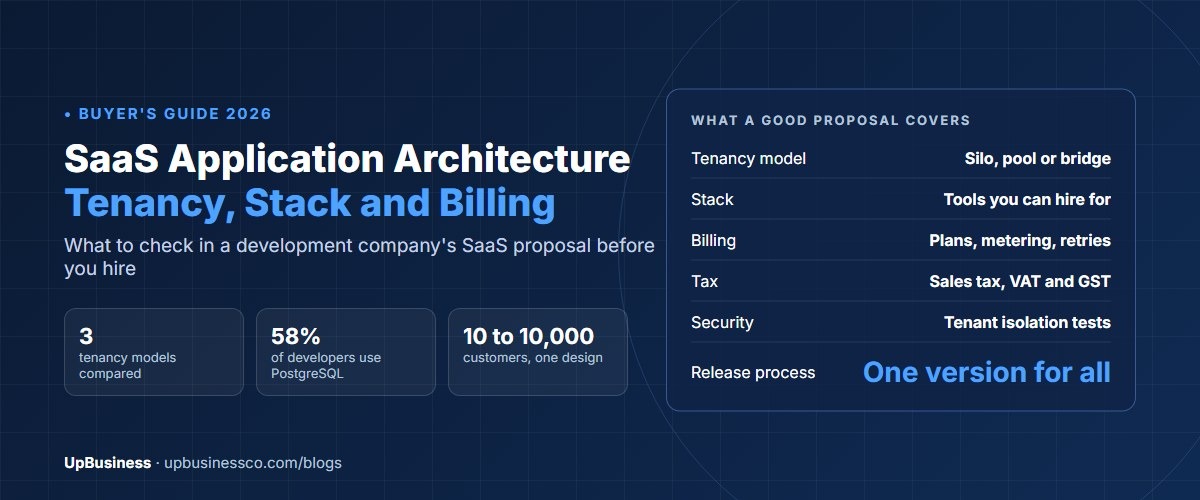
If more than one customer company will use the platform, it must keep each one's data apart. There are three common ways. The cheapest to run is one shared database with a customer ID on every record. Next is a separate section (schema) per customer. The strongest is a separate database per customer, at a higher hosting cost. Large customers sometimes insist on the last one. Ask early if yours will.
Billing and subscriptions
Selling a SaaS product means plans, trials, upgrades, invoices, retrying failed payments and tax. Most teams use a billing provider rather than build this. Stripe Billing, for example, charges 0.7% of billing volume on its pay-as-you-go plan[4], on top of card fees. If you sell mainly in India, ask about a local payment gateway with subscription support and GST-ready invoices.
Authentication and single sign-on
Small customers are fine with email and password plus two-step login. Enterprise customers usually want single sign-on. That lets their staff log in through their own company login system (using SAML or OpenID Connect). They also want role-based access and audit logs. Adding single sign-on late is painful. Decide in planning if enterprise sales are part of the plan.
Compliance and data protection
Where your users are decides which rules apply. In India, the Digital Personal Data Protection Rules were notified in November 2025, with 18 months to comply in phases[5]. Fines for failing to protect personal data can reach $26.3 million[6]. If you serve people in the EU, GDPR applies. US enterprise buyers often ask for a SOC 2 security report before they sign. Our SaaS security checklist covers the controls to build in from day one.
Custom SaaS Development Timeline by Stage
A focused MVP usually reaches its first users in four to six months. A product for many customers, with billing and system links, takes longer. The ranges below are typical planning figures for a small partner team. Your partner company should give you its own stage-by-stage plan.
| Stage | What happens | Typical duration |
|---|---|---|
| Discovery | Map workflows, users, integrations, tenancy and compliance needs; agree success measures | 2 to 4 weeks |
| Design | Clickable prototypes tested with real users | 3 to 6 weeks |
| MVP build | Core workflow, accounts and roles, data migration plan | 10 to 16 weeks |
| Pilot | One team or a few customers use it; fixes and performance work | 4 to 6 weeks |
| Rollout and improvement | Wider launch, then regular releases based on usage | Ongoing |
Most delays come from slow decisions on the buyer's side, not slow coding. Name one person who can approve designs and answer questions within a day or two.
SaaS Specialists vs General Software Agencies
A SaaS specialist is usually the better choice for a product you plan to sell. A general software agency is often fine for an internal tool used by one company. The difference is experience with the parts only SaaS products need. These include serving many customers from one system, subscription billing, single sign-on, usage limits and customer onboarding. They also include the security reviews that larger buyers run before they sign.
| Partner type | Fits best when | Watch out for |
|---|---|---|
| SaaS specialist | You're selling the product to other businesses, or will soon | Higher day rates; check they've shipped in your industry |
| General software agency | One company will use it, with few users and standard needs | Single-tenant design that's expensive to convert later |
| Mobile app company | The product is mainly used on phones, with a light admin panel | Weak back-end, billing and multi-tenant experience |
For a SaaS startup, the safest test is simple. Ask each company to walk you through a live SaaS product it built, from sign-up to an invoice. A team that can show customer settings, a billing page and an admin view has done this before. If you're comparing a SaaS developer with a mobile app company, ask which part of your product carries the most risk. If it's the back end, billing or data, pick the SaaS specialist. Add a mobile team later if needed.
How to Choose a Custom SaaS Development Company
Judge partner companies on proof you can check, not on a sales deck. These checks separate a team that has run SaaS for real from one that has mostly built websites.
- Ask for two or three SaaS products they built that are still live. Log in to a demo account if they can set one up.
- Have them explain how they kept customers' data apart and handled billing on a past project. Ask what went wrong and what they'd change.
- Ask about security in plain terms. How do they store passwords and secret keys? How often do they update the outside code they rely on? Have they passed a penetration test or a customer's security review?
- Confirm in writing that you'll own the code and the rights to it. Every account should be opened in your company's name.
- Read the support terms for after launch closely. Check response times, what a monthly fee covers and how handover works if you part ways.
- Ask for a reference client you can speak to, ideally one whose product is close in size to yours.
On UpBusiness, partner companies are checked before they're listed. We check business registration and GST papers, the founder's identity and details of real client projects. Together with company details, online presence and integrity checks, these make up the TrustScore. The SaaS development companies we list all score 70 or above. You can compare verified SaaS development companies, browse software development partner companies, or post your project to get matched with companies whose project sizes fit your budget.
Related SaaS Guides
This page covers the build decision and cost. For the next step, read our SaaS application architecture guide for design and tech stack. If you're a startup working towards product-market fit, read the SaaS product development guide. Read the AI SaaS development guide if your product is built around AI features. Run through the SaaS security checklist before you launch.
The Bottom Line
Buy software for the work every company does. Build custom SaaS only where your process, data or product idea is truly yours. Compare costs over five years with your own user numbers, and try extending the tools you have first. Settle customer data separation, billing, single sign-on and compliance in planning. Then sign a contract that gives you the code, the accounts and the data. With an Indian partner company, a focused MVP usually costs $10,000 to $26,000. That leaves room in most budgets to test the idea properly before you scale it.
Browse our curated list of Top SaaS Development Companies