

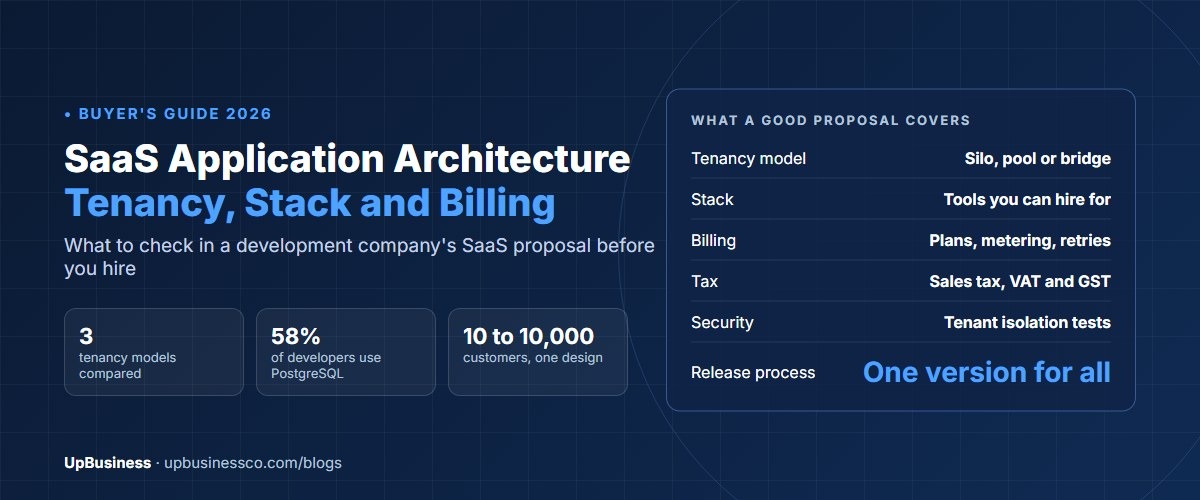

Every SaaS product you pay for each month, from your CRM to your accounting tool, sits on the same hidden base. SaaS application architecture is the design of that base: how software that many customers use over the internet, on a subscription, runs from one shared platform. Gartner expected worldwide SaaS spending to reach $299.1 billion in 2025, up from $250.8 billion the year before[1]. Behind each of those products sit the same parts: sign-in, keeping customers apart, billing, admin tools and monitoring.
This guide is about that base and the technical choices that shape it. It's for the founder, product owner or CTO who is hiring a development company. You'll learn enough about the design to judge a proposal. If you're still testing the idea, start with our SaaS product development guide. For budgets and build-versus-buy, see the custom SaaS development guide.
Key takeaways
- AWS and Microsoft describe the same three ways to host customers, using different words. Each customer gets its own resources (silo), all customers share them (pool), or you mix both (bridge)[2].
- In Stack Overflow's 2025 survey, PostgreSQL is the most used database among working developers at 58.2%. AWS is the most used cloud at 45.9%[3].
- On $20,000 of monthly subscriptions at $50 each, card fees plus Stripe Billing come to about $840 a month. A merchant of record such as Paddle costs about $1,200, but it also collects and files sales tax and VAT for you.
- Our SaaS development page lists 12 partner companies, and 7 of them name SaaS development as a service. Their median average project size is $10,000.
What Is SaaS Application Architecture?
It's the design of a web app that serves many paying customers from one codebase and one set of servers. Each customer's data stays separate. Besides the features users see, the work covers serving many customers at once (multi-tenancy) and subscription billing. It also covers tax, user roles, links to other tools, monitoring and the release process. That release process keeps everyone on the same version.
That last point is what makes SaaS different from custom software for one client. You ship one product to every customer. So every design choice has to work at 10 customers and at 10,000.
SaaS Application Architecture: The Core Components
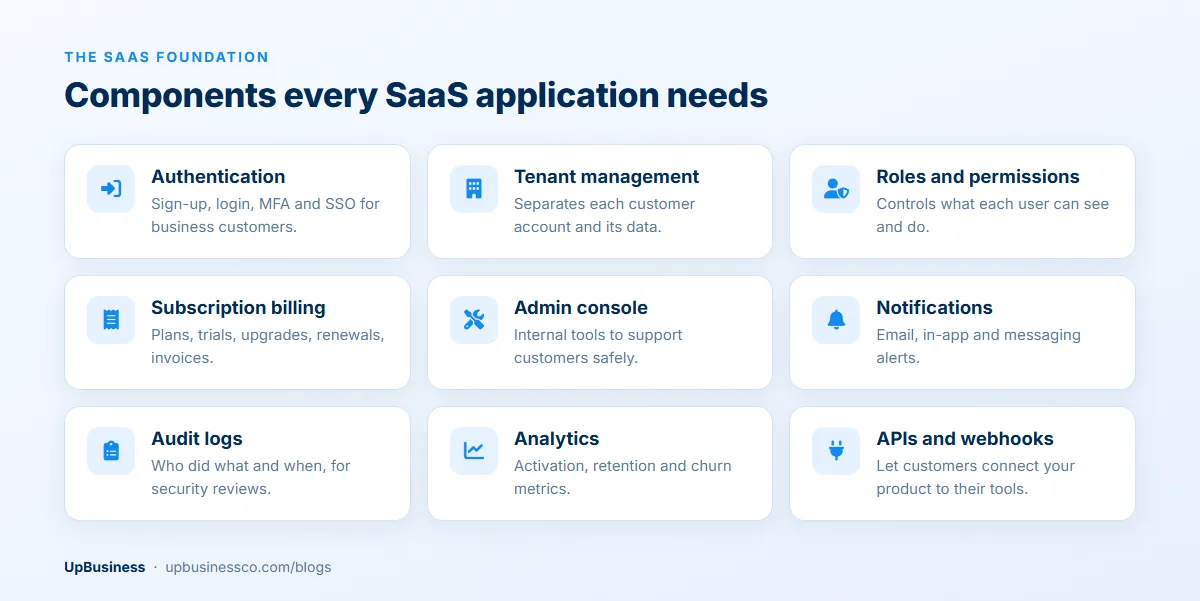
Every SaaS app needs the same nine building blocks before the first feature customers actually pay for. Development companies sometimes leave a few out of an early quote. That's where budgets slip later.
| Component | What it does | What to ask for |
|---|---|---|
| Authentication | Sign-up, login, MFA, single sign-on for business customers | SAML or OIDC support, even if switched on later |
| Tenant management | Creates each customer account and keeps its data apart | One central place that sets the tenant on every request |
| Roles and permissions | Controls what each user can see and do | Roles stored as data, not hard-coded |
| Subscription billing | Plans, trials, upgrades, renewals, invoices | Integration with a billing provider, not a home-built engine |
| Admin console | Internal tools for support and account changes | Logged, time-limited access to customer data |
| Notifications | Email, in-app and messaging alerts | A queue, so a slow email service doesn't slow the app |
| Audit logs | Records who did what and when | Exportable logs that enterprise customers can review |
| Analytics | Product usage and business metrics | Events tied to tenant and plan, so you can see who uses what |
| APIs and webhooks | Let customers connect your product to their tools | Versioned API, signed webhooks with retries |
Multi-Tenant SaaS Architecture: Silo, Pool or Bridge
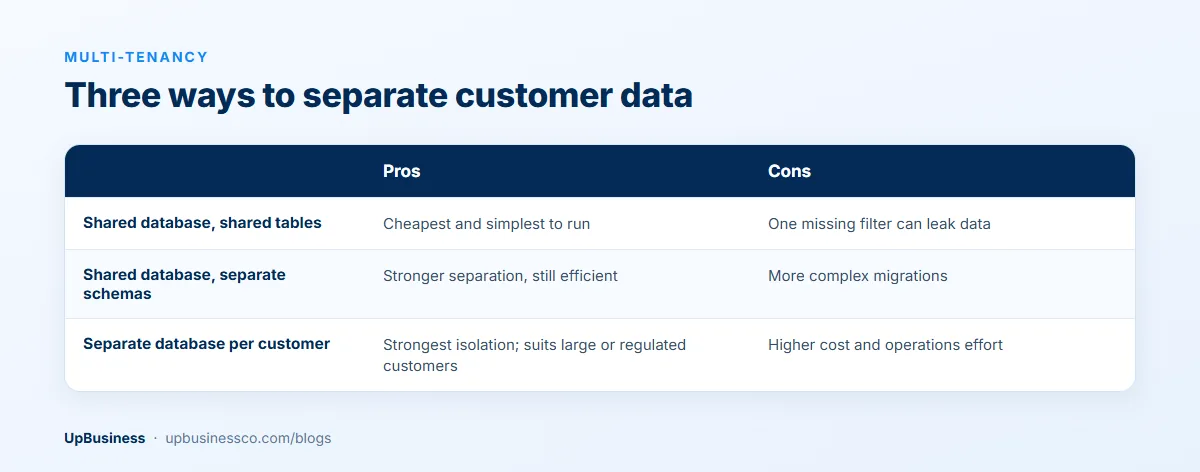
Multi-tenancy is how one app serves many customers (tenants) while keeping their data apart. AWS's SaaS Lens groups the options into three models. In the silo model, a customer gets its own resources, such as its own database or a full copy of the servers. In the pool model, customers share resources. The bridge model mixes the two. For example, most parts are shared, but one store of regulated data is kept separate[2].
Microsoft's Azure guides use other names for the same ideas. It also makes a point every founder should hear: choosing a model is a business decision as well as a technical one[4]. A separate database for each customer is easier to sell to a bank. But if one customer costs a certain amount to run, 100 customers will cost about 100 times as much.
| Data model | AWS term | Cost to run | Isolation | Best fit |
|---|---|---|---|---|
| Shared tables with a tenant ID | Pool | Lowest | Enforced by code or database policy | Self-serve products with many small customers |
| Separate schema per tenant | Pool or bridge | Low to medium | Stronger, but migrations run once per schema | Mid-sized B2B products with a few hundred customers |
| Separate database per tenant | Silo | Highest | Strongest | Enterprise or regulated customers who pay for it |
For a typical new B2B product, we'd suggest shared tables with a customer ID on every row. Back that up with a database rule, not just careful developers. PostgreSQL's row-level security lets you set rules on which rows a query can read or change[5]. One detail catches teams out. Table owners skip those rules unless the table is set to FORCE ROW LEVEL SECURITY. So the app shouldn't connect as the table owner.
Plan for a bridge later. A common pattern is to keep everyone in the pool, then move one large customer to its own database when a contract needs it. Microsoft calls a full copy of the system a deployment stamp[6]. Stamps are also how products add a second region, for customers who need their data kept in the EU or India. The code only needs one extra piece for this. A lookup table tells each request which copy holds that customer's data.
Sharing brings the noisy neighbour problem, where one heavy customer slows everyone else down[7]. Limits per customer on requests, background jobs and query time are cheap to add early. They're painful to add after the first complaint.
Choosing a SaaS Tech Stack
Pick a set of tools (a stack) that your team, and the next team, can hire for. Stack Overflow's 2025 survey shows how few tools most working developers use[3]:
| Layer | Most used options (professional developers, 2025) | What to consider |
|---|---|---|
| Database | PostgreSQL 58.2%, MySQL 39.6% | PostgreSQL's row-level security helps multi-tenancy |
| Backend runtime and frameworks | Node.js 49.1%, ASP.NET Core 21.3%, FastAPI 15.1%, Django 11.7% | Your team's skills and the libraries you need |
| Frontend | React 46.9%, Next.js 21.5% | Hiring pool and design system |
| Cloud | AWS 45.9%, Microsoft Azure 27.2%, Google Cloud 24.3% | Regions near your customers, managed services, credits |
All of these are safe choices. The riskier choice is splitting the product into many small services (microservices) on day one. With a small team, a modular monolith is faster to build and far easier to debug. That's one app you deploy as a whole, with clear lines inside it between billing, customers, users and features. You can pull out a service later, when one part needs to grow or ship on its own schedule.
If the product's main feature is an AI model, the tool and cost questions change a lot. They get their own article: see our AI SaaS development guide.
SaaS Billing: Plans, Metering and Failed Payments
Billing is easy to underrate in an early quote. A working SaaS billing setup needs plans and prices, free trials, and upgrades and downgrades with fair part-month charges. It also needs invoices, card updates, and automatic retries and reminders when a renewal fails. Pricing by usage adds metering. That means recording every billable event for each customer and checking it before each invoice.
| Pricing model | How it bills | What it adds to the build |
|---|---|---|
| Flat rate | One price per account | Simplest; plan limits only |
| Per seat | Price per user each month | Seat counting, proration when users are added mid-cycle |
| Tiered | Feature or usage tiers | Entitlement checks in the code for each feature |
| Usage-based | Price per API call, message, GB or task | Metering pipeline, usage dashboards, spend alerts |
| Hybrid | Base fee plus usage | Both of the above |
Keep plan rules in one place, so the code asks "can this customer use feature X?" instead of checking plan names in a hundred places. Then changing your pricing a year from now is a settings change, not a rewrite.
Sales Tax, VAT and GST for SaaS
Tax is where a well-built SaaS product can still get into trouble. Selling software to customers in other countries creates duties there. Three examples show the range:
- In the US, the Supreme Court's 2018 South Dakota v. Wayfair ruling let states make out-of-state sellers collect sales tax once their sales into the state pass a threshold[8]. South Dakota's test was more than $100,000 of sales or 200 separate sales a year, and many states copied it. Whether SaaS is taxed at all differs from state to state.
- In the EU, VAT on services sold to consumers is usually charged at the customer's country rate. Since 1 July 2021, the One Stop Shop has let sellers, including those outside the EU, report it through one member state[9].
- India's GST charges no tax on software sold to customers abroad, because it counts as an export. Exporters can supply them under a letter of undertaking without paying tax up front. Sales to Indian customers carry GST.
There are two ways to handle this. You can use a payment processor plus a tax service, and file returns yourself or through an accountant. Or you can sell through a merchant of record. It becomes the legal seller to your customer and takes on collecting and filing tax. Paddle, for example, says it collects the right tax rate, tracks filing dates and prepares the records[10]. This is a summary, not tax advice. Check the position with a tax adviser in each market you sell into.
SaaS Payment Fees: A Worked Example
Take a product with 400 customers paying $50 a month, or $20,000 in monthly revenue, all on US cards. Using published pay-as-you-go rates, the two common setups compare like this:

Browse our curated list of Top SaaS Development Companies
| Item | Stripe Payments + Stripe Billing | Paddle (merchant of record) |
|---|---|---|
| Published rate | 2.9% + 30¢ per card charge, plus 0.7% of billing volume[11] | 5% + 50¢ per transaction[10] |
| Per $50 charge | $1.75 + $0.35 billing fee | $3.00 |
| Monthly cost on $20,000 | About $840 (4.2%) | About $1,200 (6.0%) |
| Sales tax and VAT | You register, calculate and file (tax tools cost extra) | Included: Paddle is the seller of record |
| International cards | Extra fees for non-US cards and currency conversion | No separate fee listed |
The $360 monthly gap buys the tax work. For a small team selling to consumers or small firms in many countries, that can be cheap next to registering for VAT and US sales tax yourself. A company selling mostly to large customers in one country usually saves money with a processor. Either way, build the fees into your prices from the start. They come off every dollar of revenue.
Scaling a SaaS Application From 10 to 10,000 Customers
An early SaaS product rarely needs clever scaling. It needs a few habits that stop the system falling over when the first big customer arrives:
- Don't store user sessions on the app servers. Keep them in a database or Redis. Then you can add servers behind a load balancer when traffic grows.
- Index the columns every query filters on, starting with the customer ID. Reuse database connections through a pool.
- Run emails, exports, imports and reports in the background, with a queue for each job type.
- Add a read-only copy of the database when reports start to slow the main one.
- Serve images, scripts and downloads from a CDN, a network of servers close to your users.
- Track response times and errors for each customer, so you can see which one a slowdown comes from.
Past a few thousand active customers, or when customers need data kept in one region, deployment stamps help. You run several copies of the system and spread customers across them.
Integrations and APIs
Links to other tools keep customers from leaving. The more of their work connects to your product, the harder it is to replace. Offer a public API with API keys or OAuth, version numbers, and clear error messages when a client hits a limit. For webhooks, sign every message, retry failed sends with growing gaps, and let customers see a delivery log. The Standard Webhooks spec is a useful guide for signing and retry rules. Engineers from Zapier, Twilio, Supabase and others shape it[12].
Build ready-made connectors only for the two or three tools your customers ask for most, such as a CRM, an accounting system or a messaging app. Everything else can go through the API or an automation platform.
Security in a SaaS Application
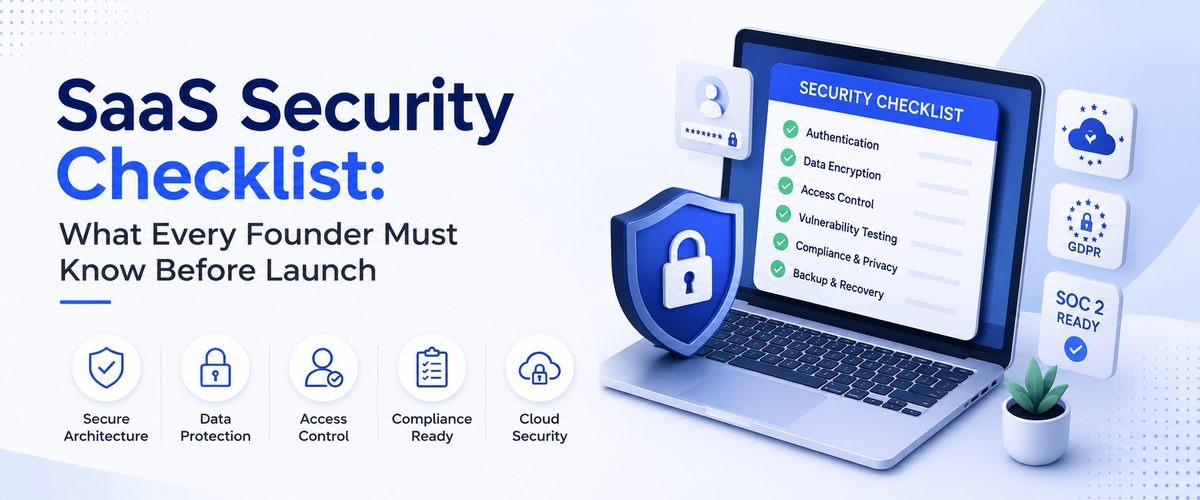
The biggest SaaS risk is one customer seeing another's data. That's why broken access control is number one on the OWASP Top 10:2025[13]. In the design, that means one central customer check, automatic tests that try to read another customer's records, and secret keys kept out of the code. Our SaaS security checklist covers the 12 controls, breach reporting deadlines by region and the security questions to ask your development partner.
Monthly Running Costs to Plan For
Hosting is rarely the biggest line once a product has customers. Outside services and payment fees often cost more. Track each of these per customer as you grow, so your prices stay ahead of your costs:
| Item | What drives it | How to keep it down |
|---|---|---|
| Compute | Servers or containers, traffic, background jobs | Autoscaling, right-sized instances |
| Database | Data size, performance tier, replicas, backups | Indexes, archiving old data |
| File storage and CDN | Uploads, downloads and media | Lifecycle rules that move old files to cheaper storage |
| Email, SMS and messaging | Notifications, one-time passwords, WhatsApp | Let users choose channels; batch digests |
| Monitoring and logs | Log volume and retention period | Sample noisy logs; shorter retention for debug logs |
| Payments and tax | Revenue and number of transactions | Annual plans reduce per-charge fees |
| Third-party APIs and AI models | Calls per tenant | Caching, per-plan usage limits |
The SaaS Application Development Process
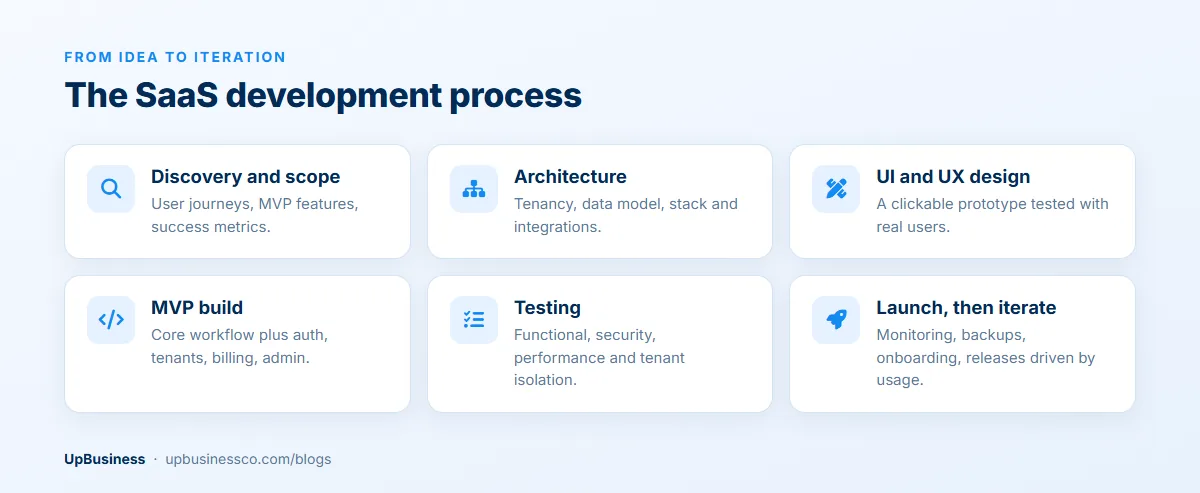
A good development company will take you through roughly the same stages. Each one should end with something you can review:
| Stage | What you should receive |
|---|---|
| Discovery and scope | User journeys, MVP feature list, success metrics |
| Architecture | Tenancy model, data model, stack, billing and tax approach, integration plan |
| UI and UX design | Clickable prototype tested with real users |
| MVP build | Core workflow plus the SaaS foundation: auth, tenants, billing, admin |
| Testing | Functional, security, performance and cross-tenant tests |
| Launch | Monitoring, backups, support process and onboarding emails |
| Iterate | Releases driven by usage data and customer feedback |
Automatic tests and a release pipeline should be in place by the MVP stage, not added after launch. Our guide to CI/CD implementation services explains what that setup includes.
What UpBusiness Partner Data Shows
Our SaaS development page lists 12 partner companies as of October 2026. Only 7 of them name SaaS development as a service on their profiles, and the figures here cover those 7. Their median average project size is $10,000, with a range of $500 to $25,000. Their TrustScores run from 70.33 to 75.0.
SaaS makes up 40% of Meetri Infotech's listed services and 25% of Geonix Software's. For Kriscent Techno Hub, Trirope Technologies, Hathor Union, Nootus AI and Digitiohub it is 15% or less. Many teams can build a SaaS product well, but serving many customers, billing and tax are specific skills. Ask each company to show you a SaaS product it built that has paying customers today. Ask it to explain how customers are kept apart in it.
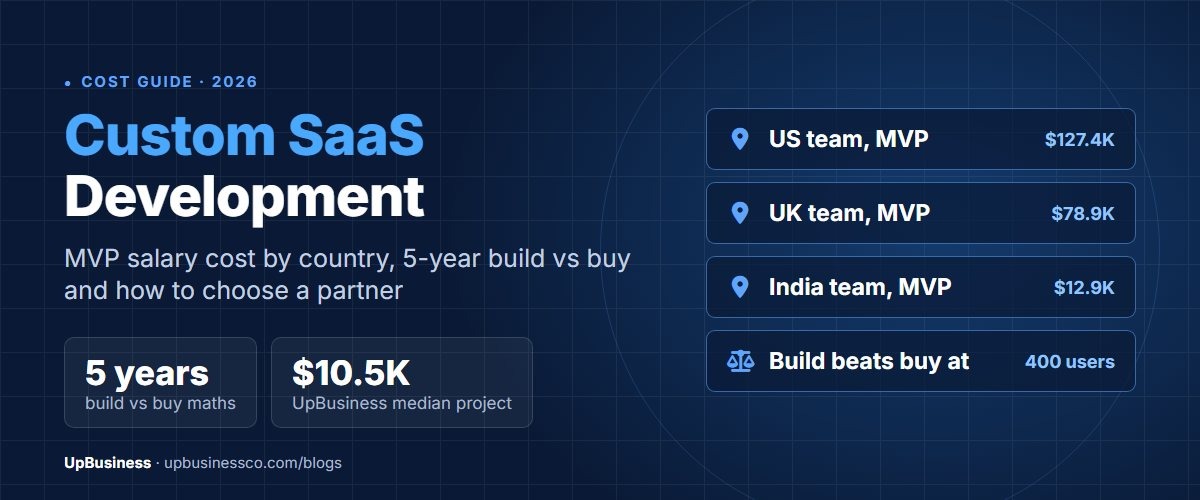
For detailed cost ranges and a five-year cost comparison, see our custom SaaS development guide. If you're pricing a first version, our MVP development cost guide compares the US, the UK, Germany and India.
Questions to Ask a SaaS Development Company
- Which way of hosting customers do you suggest for us (pool, silo or bridge), and what would make you change it?
- Where does the code check which customer a request belongs to, and is there a database rule behind it?
- Which billing provider will you use, and how will you handle failed payments and part-month charges?
- How will you handle sales tax and VAT if we sell outside our home country?
- How would we move one large customer to its own database later?
- Which limits will stop one customer slowing down the rest?
- Can we see a SaaS product you built that has paying customers today?
- Will we own the code, the cloud accounts and the billing accounts from day one?
You can only compare answers if every company gets the same questions in writing, along with a project brief. Our software project brief template helps with that.
The Bottom Line
A SaaS app is really two products. One is the set of features customers pay for. The other is the platform underneath that keeps them apart and bills and taxes them correctly. Choose how you'll host customers and how you'll bill before the build starts. Pick tools you can hire for, and test that customers stay apart on every release.
When you're ready, compare verified SaaS development companies or post your project on UpBusiness to get matched with partner companies that fit your scope and budget.
Browse our curated list of Top SaaS Development Companies
Comments 1
Great insights on SaaS architecture, technology stacks, and billing! At Sobonix, we also help businesses build and scale SaaS applications with reliable, modern software engineering solutions.