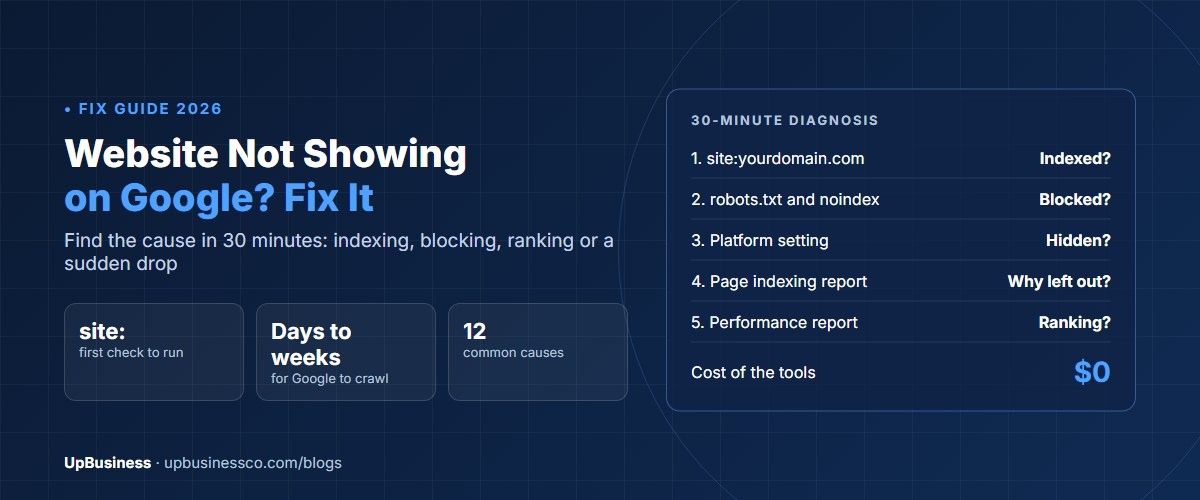


Website not showing on Google? The cause is usually one of four things. Google hasn't found or indexed it yet. Something on the site tells Google to stay away, such as a noindex tag, a robots.txt rule or a password. The site is indexed but ranks too low for you to find. Or it dropped after a redesign, an update or a penalty. You can tell which one in about 30 minutes with a free Google Search Console account.
This guide is for business owners and marketing managers who type their site or business name into Google and can't find it. It walks you through the checks in the right order and explains each message Google shows. It also covers WordPress, Shopify, Wix and Squarespace settings, and when it's worth paying an SEO company.
Key takeaways
- Start with a site: search, such as site:yourdomain.com. If nothing appears, Google hasn't indexed your site, and the fix is about access, not rankings.
- For a new site, crawling can take from a few days to a few weeks, according to Google. Submitting a sitemap helps, but asking again and again doesn't speed it up.
- One setting causes many cases: a noindex tag or a "hide from search engines" switch left on after the site was built.
- Google says it doesn't guarantee to index every page and doesn't accept payment to crawl or rank a site. Anyone promising guaranteed rankings is a warning sign.
Step 1: Check Whether Google Has Indexed Your Website
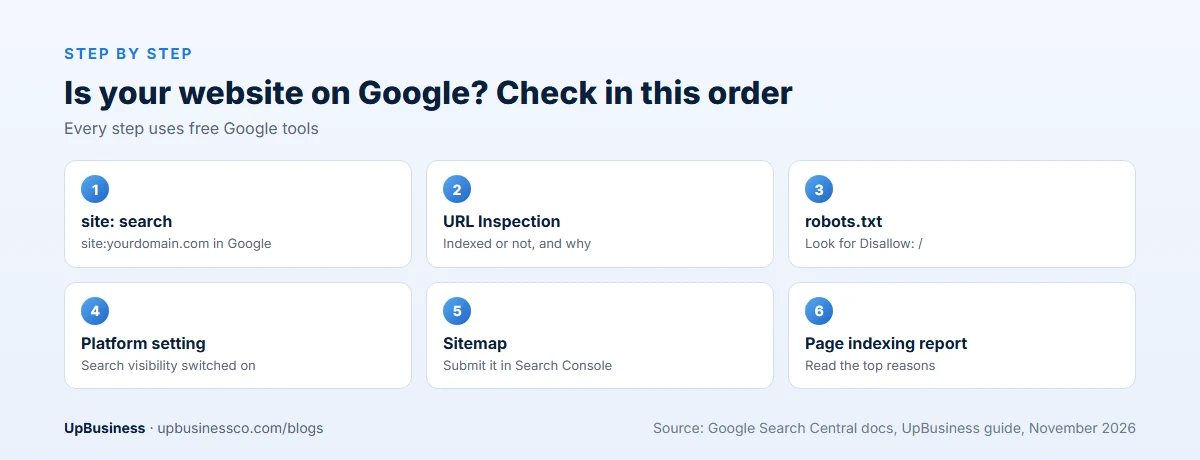
Type site:yourdomain.com into Google, using your own domain with no space after the colon. Google's site: operator shows pages it has indexed from that domain[1]. The result tells you which problem you have:
| What you see | What it means | Go to |
|---|---|---|
| No results at all | Google hasn't indexed your site | Steps 2 and 3 |
| Some pages, but not the one you want | That page isn't indexed, or Google chose another version | Step 4 |
| Your pages appear, but not for your keywords | Indexed, but not ranking well | Step 5 |
| Pages used to appear and now don't | Something changed or went wrong | Step 6 |
The site: count is rough, so don't worry if the number of results looks odd. For an exact answer on one page, use the URL Inspection tool in Google Search Console. It shows whether that page is indexed and, if not, why[2]. If you haven't set up Search Console yet, do it now. It's free, takes about 10 minutes, and every fix below uses it.
Why Is My Website Not Showing on Google? 12 Common Reasons
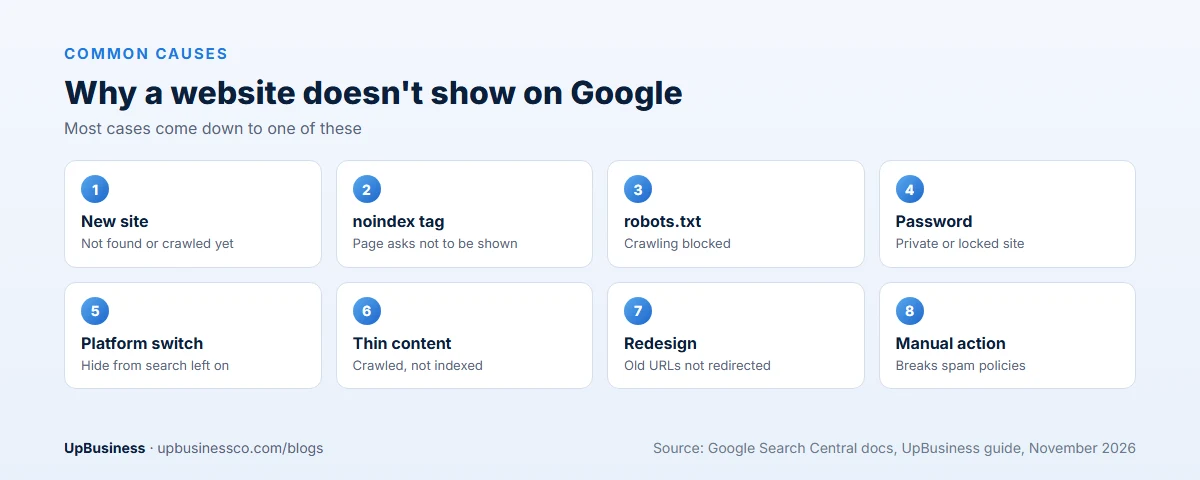
| Reason | How to spot it | Fix |
|---|---|---|
| The site is new | Launched days or weeks ago, no results for site: | Submit a sitemap, add links from other sites, wait |
| noindex tag on pages | URL Inspection says excluded by noindex | Remove the tag from pages you want found |
| robots.txt blocks Google | Page indexing report says blocked by robots.txt | Remove the Disallow rule for those pages |
| Password or private site | Visitors see a login or password page | Make the site public |
| Platform setting hides the site | WordPress, Wix or Squarespace search setting is off | Turn search visibility back on |
| No sitemap or links | Google lists few or no discovered pages | Submit a sitemap and link pages to each other |
| Wrong canonical tag | Google picks another page as the main version | Point the canonical tag to the right page |
| Thin or copied content | Crawled but not indexed | Add useful, original content |
| Strong competition | Indexed, but on page 3 or lower | Target more specific searches, build authority |
| Redesign broke URLs | Traffic fell after a new site went live | Redirect old URLs to new ones |
| Manual action | Search Console shows a manual action | Fix the problem and ask for review |
| Hacked site | Strange pages, spam text or security warnings | Clean the site and secure logins |
Step 2: If Your Website Is New, Help Google Find It
Google finds new pages by following links and reading sitemaps. A brand-new site with no links pointing to it may not be found for a while. Google says crawling can take anywhere from a few days to a few weeks, and that requesting a crawl doesn't guarantee the page will be included[3].
Speed it up with three steps:
- Submit a sitemap in Search Console. A sitemap is a file that lists your pages. Most website builders create one at yourdomain.com/sitemap.xml[4].
- Request indexing for your key pages. In URL Inspection, click "Request indexing" for your home page and main service pages. There's a daily limit, and asking twice for the same page doesn't help.
- Get a few real links. Your Google Business Profile, social media pages, industry directories and partner websites all help Google discover you.
Even then, Google doesn't promise to index every page. Its own guide says it doesn't guarantee that it will crawl, index or show a page, even if the page follows its rules[5].
Step 3: Check That Nothing Is Blocking Google
This is the most common cause on sites that were built recently or rebuilt. Developers often hide a site from search while they work on it, then forget to switch it back.
- noindex tag. A noindex rule in the page code or headers tells Google not to show the page[6]. URL Inspection reports it as "Excluded by noindex tag".
- robots.txt. This file tells crawlers which parts of a site they may visit. A single line, Disallow: /, blocks the whole site[7]. Open yourdomain.com/robots.txt to check.
- Password or login. Google can't index pages that only logged-in visitors can see.
Watch for one trap. If robots.txt blocks a page, Google can't read it, so it can't see a noindex tag on that page either. To remove a page from Google, allow crawling and use noindex. To get a page indexed, remove both.
Platform settings to check
| Platform | Setting to check |
|---|---|
| WordPress | Settings, then Reading: make sure "Discourage search engines from indexing this site" is unticked. Also check your SEO plugin's noindex settings |
| Shopify | Online Store, then Preferences: turn off the password page. New stores keep it on until you remove it |
| Wix | SEO settings: make sure "Let search engines index your site" is on, and check each page's SEO settings |
| Squarespace | Make sure the site isn't private or password-protected, and that pages aren't hidden from search in their SEO settings |
| GoDaddy and other builders | Check that the site is published, not in draft or preview, and that search visibility is on |
On WordPress, ticking that box adds a noindex rule to every page of the site[8]. It's a very common reason a new WordPress site never appears on Google.
Step 4: Read the Page Indexing Report
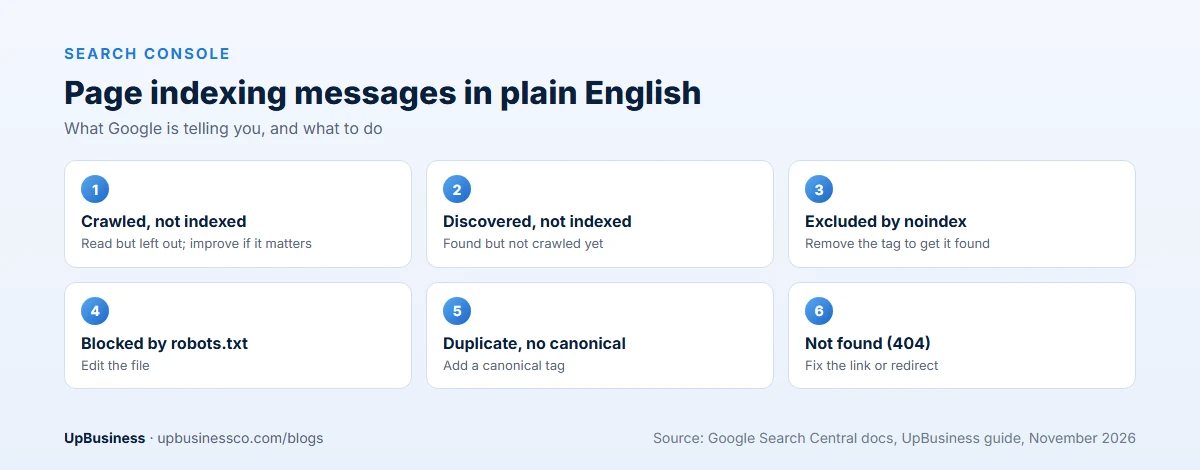
In Search Console, open Indexing, then Pages. This report lists every page Google knows about and why some aren't indexed[9]. These are the messages you'll see most often:
| Message | What it means | What to do |
|---|---|---|
| Crawled - currently not indexed | Google read the page but chose not to index it | Improve the content and internal links; this is common and not always a problem |
| Discovered - currently not indexed | Google found the page but hasn't crawled it yet | Wait, link to it from important pages, check site speed |
| Excluded by noindex tag | The page asks not to be indexed | Remove noindex if you want it found |
| Blocked by robots.txt | Google isn't allowed to crawl it | Edit robots.txt |
| Duplicate without user-selected canonical | Google sees it as a copy of another page | Add a canonical tag pointing to the main version |
| Alternate page with proper canonical tag | Correctly treated as a copy | Usually nothing |
| Not found (404) | The page doesn't exist | Fix the link or redirect it |
| Page with redirect | The URL redirects elsewhere | Usually nothing |
Google itself says "Crawled - currently not indexed" is common and doesn't always need action, because Google doesn't index every page on the web[9]. Worry about it only when it hits pages that matter to your business, such as your main service or product pages.
Duplicate messages often come from the same page loading at several addresses, for example with and without "www", or with tracking codes added. A canonical tag tells Google which address is the main one[10].
Step 5: Your Site Is Indexed but Not Ranking
If site: shows your pages but you can't find them when you search for your service, your site is indexed but ranks low. That's a different problem, and it takes longer to fix.
First, check where you really stand. In Search Console, open Performance and look at the search terms people used to find you and your average position. Position 1 to 10 is page one. Position 25 means page three, where few people look. Searching on your own phone isn't reliable, because results change with location and history.
Then look at the usual causes:
- The search is too broad. A new site rarely ranks for "accountant" or "software company". It can rank for "small business accountant in Leeds" or "logistics software for 3PL companies".
- The page doesn't match what people want. If the top results for a search are guides, a sales page won't rank, and the other way round.
- Thin content. A page with 150 words and a contact form has little for Google to rank.
- Few links from other sites. Links from respected sites in your field still help Google trust you.
- Your business name is a common word. If your company is called "Apex" or "Bright", search for your exact name plus your city or service instead.
Need visitors while you wait? Google Ads can put your site at the top of results within a day, marked as sponsored. Ads don't change your normal rankings, and the traffic stops when you stop paying. For a new business, a small ad budget for your own name and main service can bridge the months it takes for SEO to work. Keep it small, and track what each lead costs.
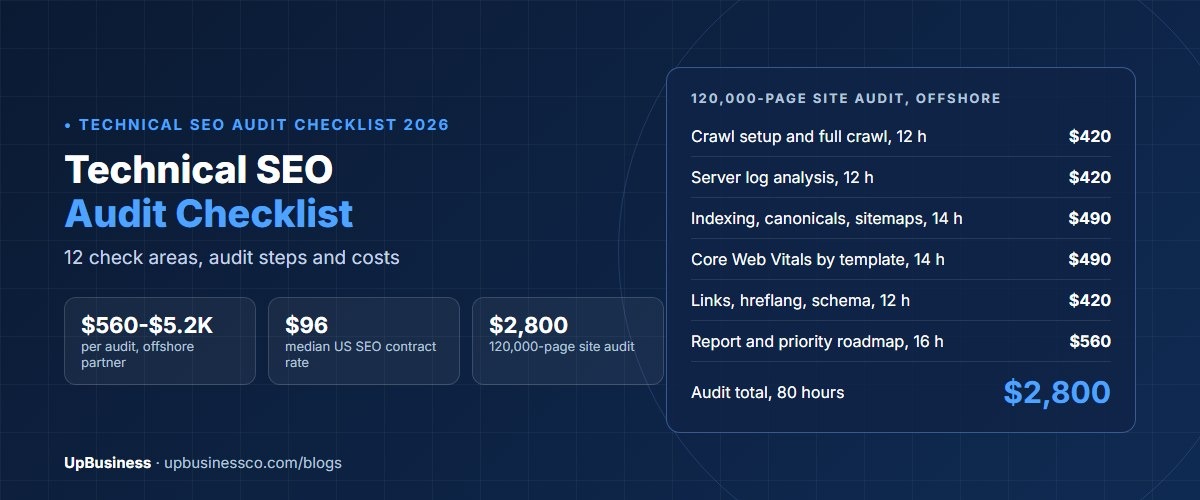
For a deeper look at site health, our technical SEO audit checklist covers crawling, speed, mobile and structured data in detail.
Step 6: Why Is My Website Not Showing Up on Google Anymore?
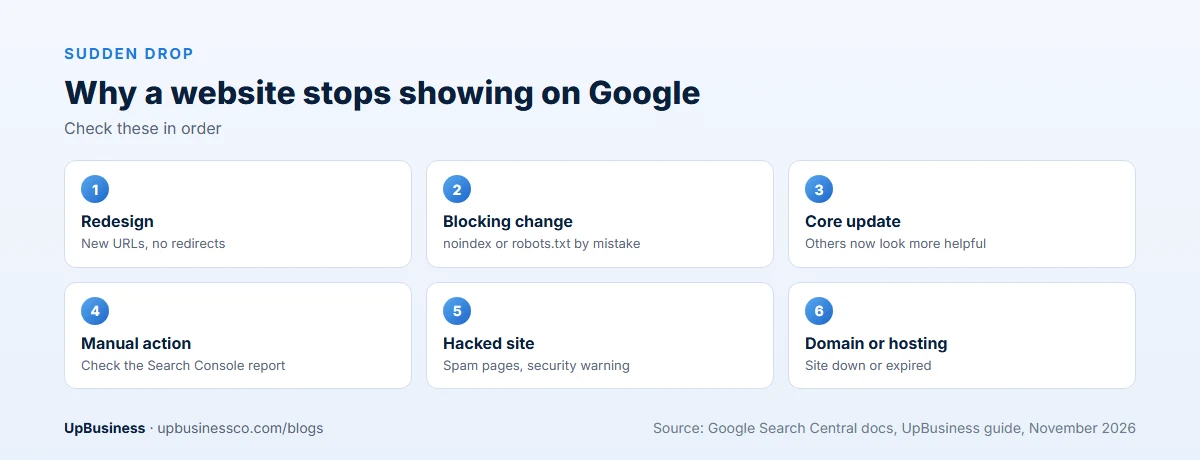
If your site used to appear and suddenly doesn't, work through these causes in order:
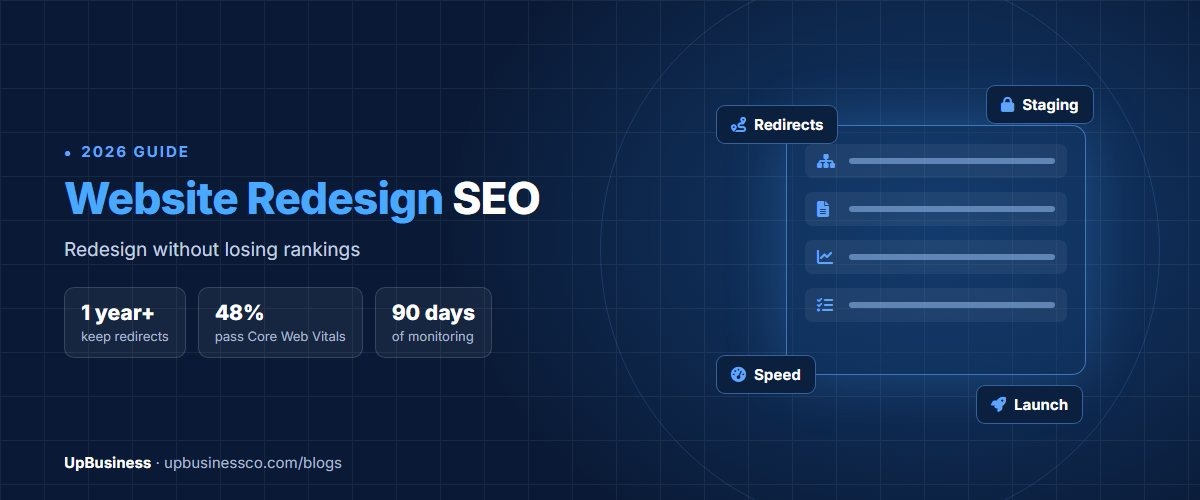
- A redesign or move to a new platform. New page addresses without redirects from the old ones lose their rankings. It's one of the most common causes of a sudden drop. Our guide to website redesign and SEO covers how to avoid it.
- A noindex or robots.txt change. A developer update can switch on blocking by mistake. Check Step 3 again.
- A Google core update. Google changes its ranking systems several times a year. Drops after an update usually mean other pages now look more helpful, not that you broke a rule[11].
- A manual action. If a Google reviewer finds the site breaks its spam policies, Search Console shows it in the Manual actions report[12]. Fix the issue, then request a review.
- A hacked site. Spam pages, odd redirects or a security warning in Search Console mean someone has broken in. Clean the site, change all passwords and update plugins.
- An expired domain or hosting problem. If the site is down, Google can't reach it and will drop pages over time.
Google's spam policies list what can get a site demoted or removed, such as hidden text, link schemes and scaled low-value content[13]. If an earlier SEO company bought links for you, that can cause trouble later.
Why Is My Business Not Showing on Google or Google Maps?
Business listings on Google Maps and in the local results come from Google Business Profile, not your website. If your business name doesn't appear on Maps, check that you've created a profile, verified it, and filled in the category, hours, address or service area, and photos.
Google says local results are mainly based on three things: relevance, distance and popularity[14]. Relevance is how well your profile matches the search. Distance is how far you are from the searcher. Popularity is how well known your business is, including reviews and links. You can't change distance, so focus on a complete profile and real reviews. Our local SEO services cost guide explains what an agency charges for this work.
Why Is My Favicon or Logo Not Showing on Google?
The small icon next to your site in Google results is your favicon. Google's rules say it must be square and at least 8 by 8 pixels, and it recommends larger than 48 by 48 pixels. It must be in a supported format such as ICO, PNG or JPEG, and both the icon file and your home page must be crawlable[15]. After you fix it, Google may take days or weeks to update it. Your logo in a knowledge panel is a separate feature and isn't guaranteed.
A 30-Minute Checklist
- Run a site:yourdomain.com search.
- Set up Google Search Console and verify your domain.
- Check yourdomain.com/robots.txt for Disallow: /.
- Inspect your home page with URL Inspection.
- Check your platform's search visibility setting.
- Submit your sitemap.
- Open the Page indexing report and note the top reasons.
- Check Manual actions and Security issues.
- Look at Performance to see which searches you already appear for.
- Write down what changed recently on the site.
Most owners find the cause by step 5. If you've worked through all ten and still can't see the problem, it's time for expert help.
When to Bring In an SEO Partner Company
Many of these fixes take minutes. Bring in an SEO company when:
- Traffic dropped sharply and you can't link it to a change you made.
- Search Console shows a manual action or security problem.
- You're moving to a new website or platform and don't want to lose rankings.
- Hundreds of important pages are "Crawled - currently not indexed".
- Your pages are indexed but stuck on page two or lower for searches that matter.
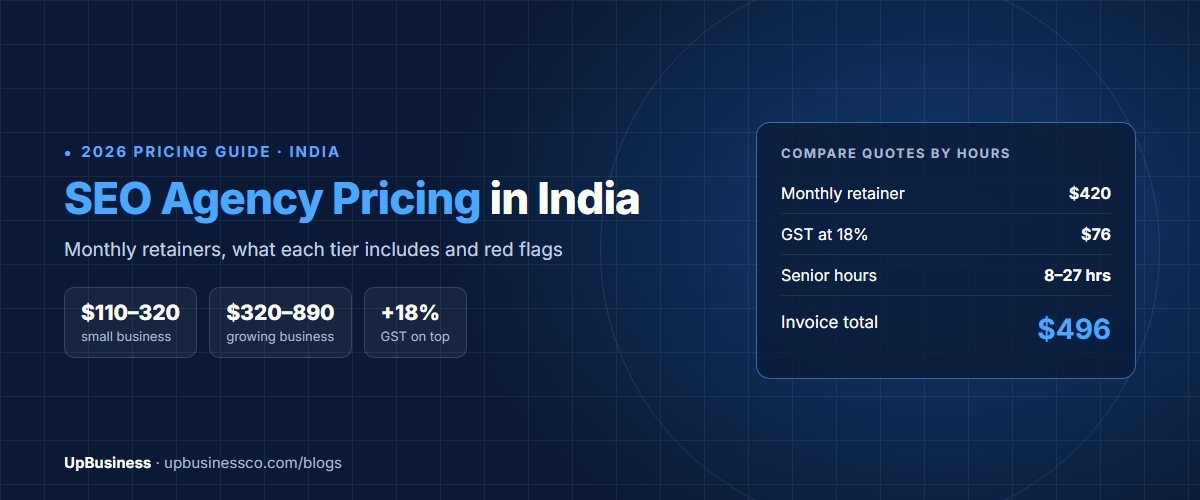
A one-off technical check usually costs far less than ongoing SEO. Our SEO agency pricing guide shows typical fees, and our guide to professional SEO services explains what good work includes. Online stores should also read our ecommerce SEO services guide.
Be careful who you hire. Google says it doesn't accept payment to crawl a site more often or rank it higher[5]. Avoid anyone who promises a number one ranking, offers to "submit your site to 500 search engines", or wants to buy links for you. Our list of digital marketing agency red flags covers more warning signs.
Find an SEO Company on UpBusiness
UpBusiness lists verified partner companies, mostly based in India and serving buyers worldwide. Every company has passed checks reviewed by our team: company details, registration and tax papers, the founder's identity, expertise and three client projects with evidence. Only companies with a TrustScore of 70 or more are listed.
- Post your requirement with your website, what you've already checked and your budget.
- Get three partner companies matched to your budget, service and industry.
- Compare them side by side on our SEO services page, and ask each to explain the likely cause before you sign. Buyers pay nothing, and there's no commission on the project.