

Browse our curated list of Mobile App Development Companies
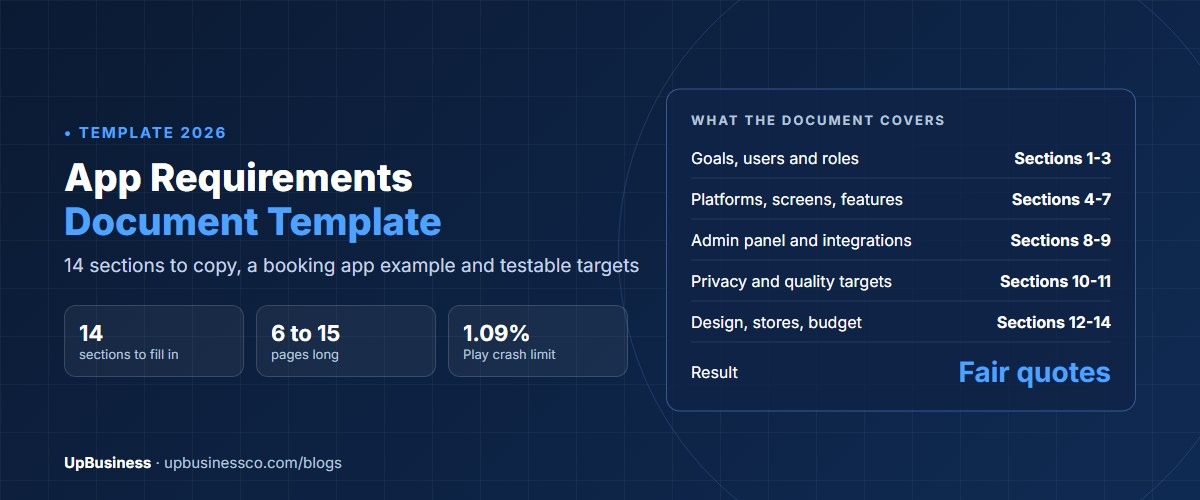
An app requirements document is a written plan that tells a mobile app company what to build. It lists who uses the app, which platforms it runs on, every screen and user flow, the features, the admin panel, the data and integrations, the quality targets and the app store rules it must pass. A good one runs 6 to 15 pages. Below is an app requirements document template you can copy, a filled-in example for a booking app, and the targets that make each requirement testable.
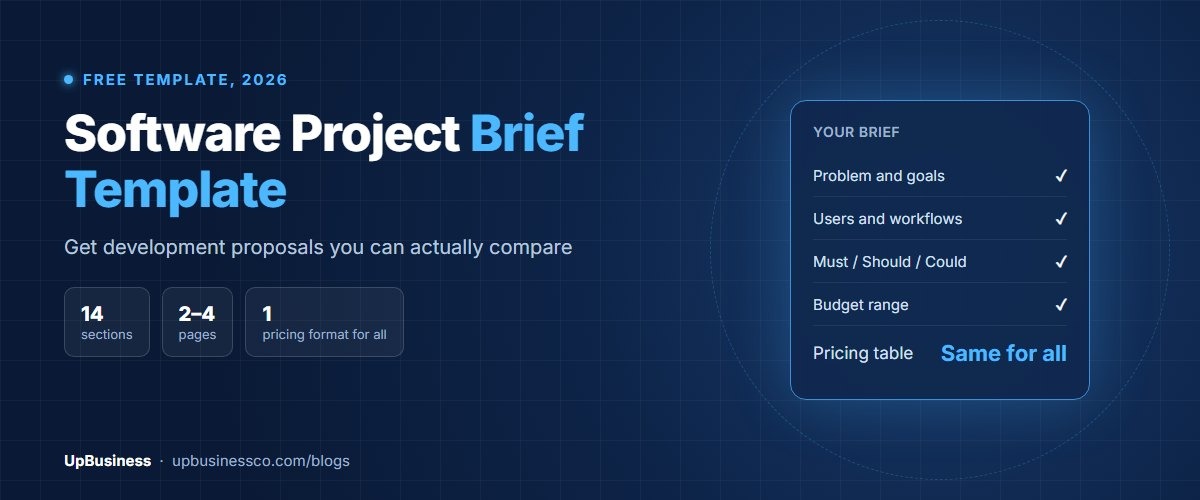
This guide is for founders, product owners and managers who are about to hire a company to build an iOS or Android app. If you're building a website instead, use our website requirements document template. If you only need one page to start conversations, our software project brief template is shorter.
Key takeaways
- An app requirements document has 14 sections. Apps need more than websites: platforms, offline use, push notifications, device features, an admin panel and app store rules.
- Describe each feature as a user flow: who does what, on which screen, and what happens next. That is what companies price.
- Mark every feature must have, should have or nice to have. Build version 1 from the must haves only.
- Add testable quality targets. Google Play flags apps with a crash rate above 1.09% of daily users, and both stores require in-app account deletion.
What Is an App Requirements Document?
An app requirements document, also called a mobile app specification or app product requirements document, lists what an app must do and how well it must do it. You write it before design starts. The app company uses it to plan screens, choose the technology and price the work. You use it later to check that the finished app matches what you paid for.
It sits between two other documents:
| Document | Length | Who writes it | When to use it |
|---|---|---|---|
| Project brief | 1 to 2 pages | You | First calls and rough price ranges |
| App requirements document | 6 to 15 pages | You, with your team | Fixed quotes and comparing companies |
| Technical specification | 20 pages or more | The chosen company | After a paid discovery phase |
You don't need technical knowledge to write one. You need to know your users, your business rules and what the app must do on day one. Where you don't know an answer, write "need advice". That's far better than a blank.
Why Apps Need a Requirements Document More Than Websites
An app is usually three products, not one. There's the iPhone app, the Android app, and a backend with an admin panel that your staff use. Buyers often describe the app screens in detail and forget the other two. Then quotes come back with prices that differ by 4 or 5 times, because one company priced a full admin panel and another priced none.
Apps also face rules websites don't. Apple and Google review every release. Both require apps that let users create an account to also let them delete it from inside the app[1][2]. Google Play requires new apps and updates to target a recent Android version, within one year of the latest major release[3]. If these rules aren't in your document, they may not be in the quote, and you pay for them later as changes.
App Requirements Document Template
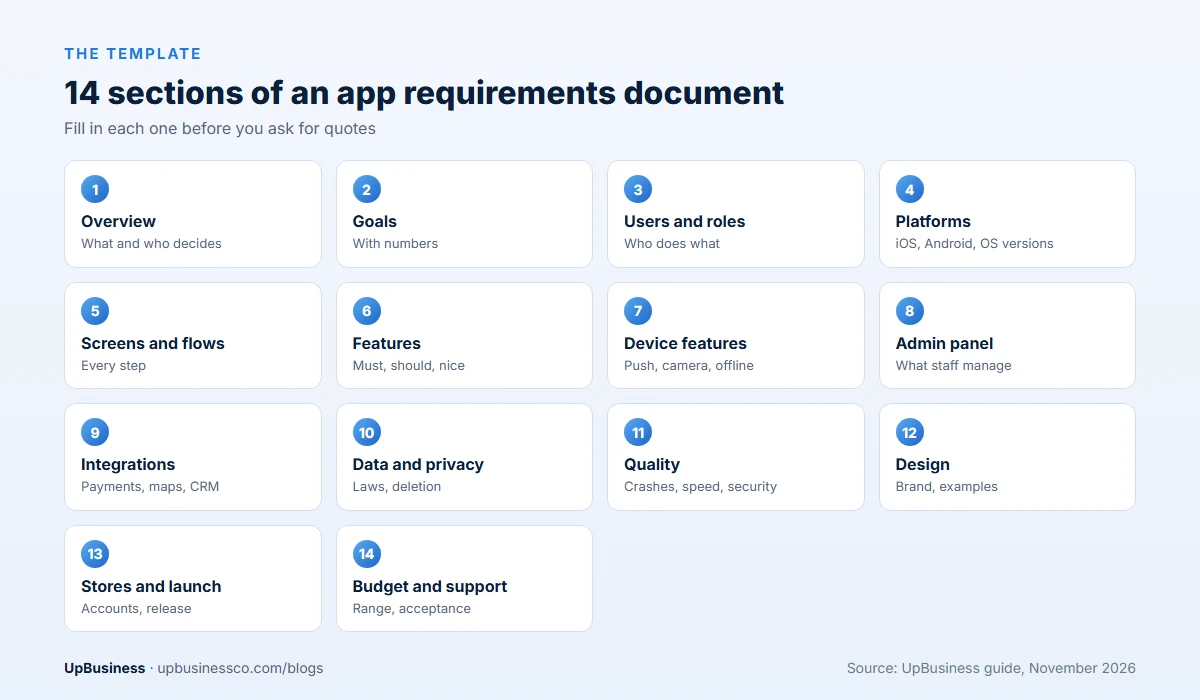
Copy these 14 sections into Word or Google Docs and fill in each one.
- Overview. What the app is, the problem it solves, and who approves decisions.
- Goals and success measures. Two or three goals with numbers and a time frame.
- Users and roles. Each type of user, such as customer, staff and admin, and what each can do.
- Platforms and devices. iOS, Android or both; phones, tablets or both; oldest OS version you support.
- Screens and user flows. Every screen, and the steps a user takes for each main task.
- Features. Each feature written as a user flow, marked must, should or nice to have.
- Device features. Camera, location, push notifications, biometrics, offline use, Bluetooth.
- Admin panel and backend. What your staff manage: users, content, orders, reports.
- Integrations. Payments, maps, CRM, ERP, email, SMS, analytics, sign-in with Apple or Google.
- Data and privacy. What personal data you collect, where it's stored, and which privacy laws apply.
- Quality targets. Speed, crash rate, security and accessibility, written as numbers.
- Design. Brand files, apps you like and why, and whether you need design work.
- App store and launch. Store accounts, listings, release plan and who submits.
- Budget, timeline, acceptance and support. Budget range, launch date, how you'll test, and support after launch.
App Requirements Section by Section
1. Overview and 2. goals
Keep the overview to one paragraph: what the app does, for whom, and why now. Then set goals a designer can work toward. "A great user experience" doesn't help. "60% of bookings made in the app within 6 months, up from 0" does. Name the one person who approves designs and signs off each release. Slow approvals are a common reason app projects run late.
3. Users and roles
List every type of user and what each one can see and do. A food delivery app, for example, has customers, restaurant staff, riders and an admin. Each role is close to a separate app. Missing a role is the most expensive gap you can leave in a requirements document.
4. Platforms and devices
Say whether you need iOS, Android or both, and whether tablets matter. State the oldest operating system version you'll support. Older versions mean more testing. If you're not sure, ask the company to check your analytics or your market's device mix and recommend a cut-off. If you're still deciding between native and cross-platform, read our Flutter vs React Native comparison and our guide to iOS vs Android app development cost.
5. Screens and user flows
This is the heart of the document. List every screen, then write the main flows as numbered steps. For example: "1. Customer opens app. 2. Picks a service. 3. Picks a date and time slot. 4. Pays a 20% deposit by card. 5. Gets a confirmation screen and email." Rough sketches on paper or in a free tool help a lot, even if they're ugly. Companies price screens and flows, so the more complete this list, the closer the quotes.
6. Features
Write each feature as a user story: "As a customer, I want to reschedule a booking up to 24 hours before, so I don't have to call." Then mark it must, should or nice to have. Must haves are what version 1 can't launch without. Our MVP development cost guide shows how cutting to must haves changes the price.
7. Device features
Device features add real build and test time, so list them clearly:
- Push notifications: which events trigger them, and can users choose which they get?
- Location: only while the app is open, or in the background too? Background location gets extra store review.
- Camera and files: photo upload, document scan, QR codes.
- Offline use: what must work without a signal, and how data syncs later.
- Sign-in: email, phone OTP, Google, Apple, or face and fingerprint sign-in.
8. Admin panel and backend
Your staff need a web panel to run the app. List what they manage: users, bookings or orders, content, prices, refunds, push messages and reports. Say which reports you need and who can see what. The admin panel can be 25% to 40% of total build effort, so a quote without one isn't comparable with a quote that includes it.
9. Integrations
Name every outside system: payment gateway, maps, SMS, email, CRM, ERP, accounting, analytics. For each, say whether you already have an account and whether data flows one way or both ways. Each integration is usually priced separately.
10. Data and privacy
List the personal data the app collects, such as name, phone, location and payment details, and why. Apple asks for app privacy details on the App Store, and Google Play requires a Data safety section[4]. Say which privacy laws apply to your users, such as GDPR in Europe or the DPDP Act in India, and where data must be stored. Add "users can delete their account and data inside the app" as a must have.
11. Quality targets
Write these as numbers. Both stores and your users judge apps on crashes, speed and security.
| Requirement | Testable target | Based on |
|---|---|---|
| Stability | User-perceived crash rate under 1.09% of daily users | Google Play Android vitals |
| Freezes | User-perceived ANR rate under 0.47% of daily users | Google Play Android vitals |
| Start-up speed | Cold start under 5 seconds on a mid-range phone; aim for 2 | Android launch-time guidance |
| Security | Passes OWASP MASVS checks for storage, network and sign-in | OWASP Mobile Application Security |
| Accessibility | Works with VoiceOver and TalkBack; text resizes; WCAG 2.2 AA colour contrast | W3C WCAG 2.2 |
| Account deletion | Users can delete their account inside the app | Apple and Google Play rules |
Google Play treats a user-perceived crash rate above 1.09% and an ANR rate above 0.47% as bad behaviour, and it can lower an app's visibility in the store[5]. Android's guidance treats a cold start of 5 seconds or more as excessive[6]. The OWASP Mobile Application Security Verification Standard (MASVS) gives a free checklist for app security[7], and WCAG 2.2 covers accessibility[8].
12. Design
Attach your logo and brand guidelines. List three to five apps you like and say exactly what you like: the sign-up flow, the home screen, how search works. If you need the company to do design, say how many screens and whether you want a clickable prototype before coding. Our UI/UX design cost guide shows what design work costs.
13. App store and launch
The Apple Developer Program and Google Play developer accounts should be in your company's name, not the agency's. Say who prepares store screenshots and descriptions, and who submits each release. Plan for review time and possible rejections in your launch date.
14. Budget, timeline, acceptance and support
Give a budget range and a launch date, and say if the date is fixed. Define "done": every must-have flow works on the agreed devices, the quality targets are met, and the app is live in both stores. Then say what support you need: bug fixes for 60 to 90 days, OS updates each year, and who you call. Our app maintenance cost guide shows typical yearly costs.
App Requirements Document Example
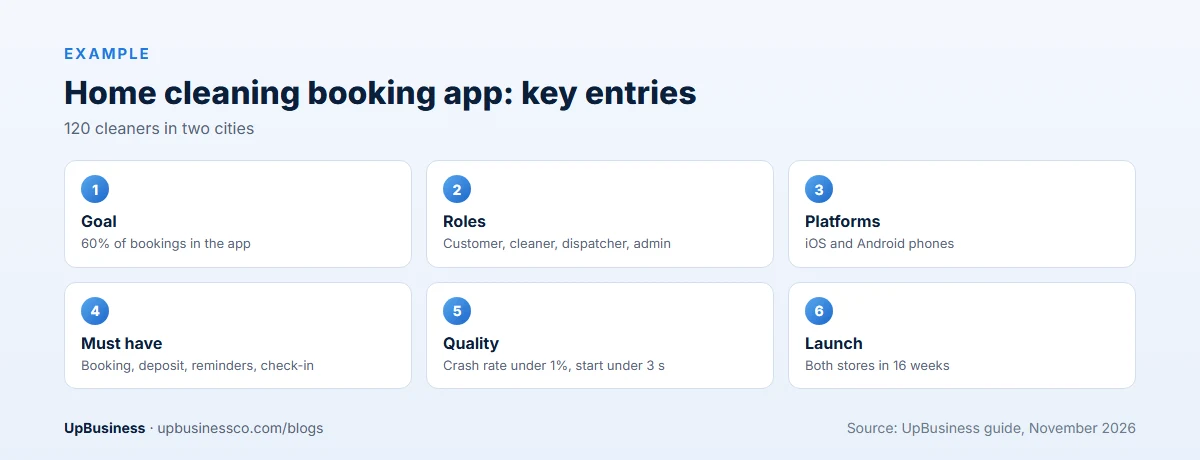
Here's a short filled-in example for a fictional home cleaning company with 120 cleaners in two cities. A real document would add screen lists and more flows, but this shows the level of detail that gets fair quotes.
| Section | Example entry |
|---|---|
| Overview | Customers book cleaners by phone today. The app lets them book, pay and rate. Approver: Head of Operations. |
| Goals | 60% of bookings through the app in 6 months; cut booking calls by half; 4.5 store rating. |
| Users and roles | Customer; cleaner (sees jobs, checks in and out); dispatcher (assigns jobs); admin (prices, refunds, reports). |
| Platforms | iOS and Android phones. Cleaner app on Android only. Support the last 4 major OS versions. |
| Main flows | Book a clean in under 60 seconds; reschedule up to 24 hours before; rate the cleaner after the job. |
| Must-have features | Booking with time slots, card deposit, push reminders, cleaner check-in with location, in-app account deletion. |
| Should have | Repeat bookings every week or month; promo codes. |
| Nice to have | In-app chat with the cleaner (quote separately). |
| Admin panel | Bookings calendar, assign cleaners, set prices by area, refunds, daily revenue report. |
| Integrations | Stripe or Razorpay, Google Maps, SMS for OTP, existing accounting software export. |
| Quality targets | Crash rate under 1%, cold start under 3 seconds, OWASP MASVS basics, TalkBack and VoiceOver support. |
| Launch | Both stores in the company's name; launch in 16 weeks; 90 days of fixes, then a monthly support plan. |
How to Write App Requirements That Can Be Tested
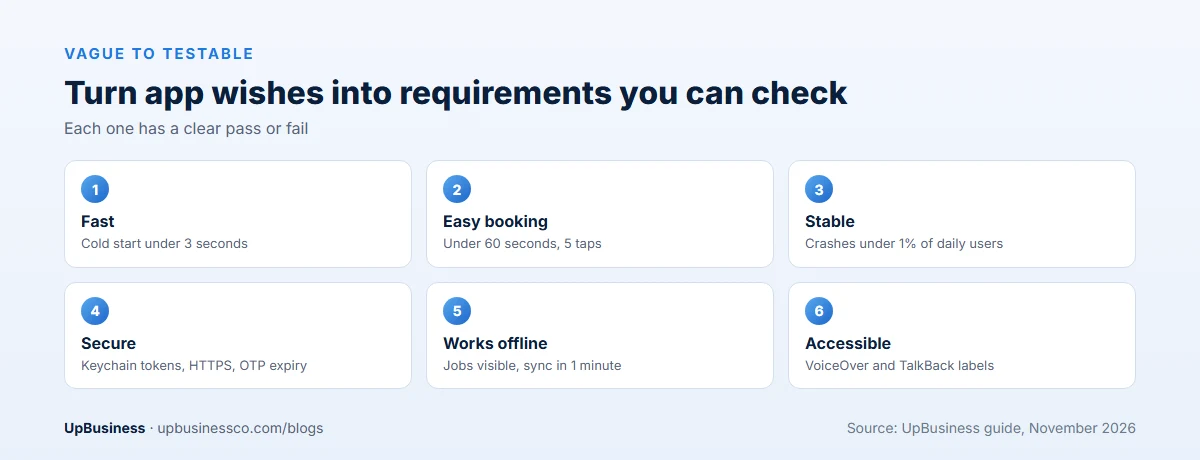
The best single fix for any app requirements document is to turn wishes into checkable statements. If you can't say how to test a requirement, it isn't clear yet.
| Vague | Testable |
|---|---|
| The app should be fast | Cold start under 3 seconds on a mid-range Android phone |
| Easy booking | A new user can book a clean in under 60 seconds, in 5 taps or fewer after sign-in |
| Stable | Crash rate under 1% of daily users in the first 30 days |
| Secure | Tokens stored in the device keychain or keystore; all traffic over HTTPS; OTP expires in 5 minutes |
| Works offline | Cleaner can view today's jobs and check in without a signal; data syncs within 1 minute of reconnecting |
| Accessible | All buttons labelled for VoiceOver and TalkBack; text scales to 200% without cut-off |
Functional vs Non-Functional App Requirements
Functional requirements say what the app does: a customer books a slot, a cleaner checks in, an admin issues a refund. Non-functional requirements say how well it does it: speed, crash rate, battery use, security, accessibility and how many users it must handle at once.
Buyers write plenty of the first kind and very few of the second. Yet non-functional gaps cause the worst problems after launch: bad reviews from crashes, store rejections, or an app that slows down at 10,000 users. Put both in separate lists in your document, and add one line on how you'll test each.
Common Mistakes in App Requirements Documents
- Forgetting the admin panel. The app looks complete, but staff have no way to run it.
- Missing user roles. A second role, such as a driver or staff member, is close to a second app.
- No priorities. Everything looks like a must have, so version 1 is too big and too late.
- Store accounts in the agency's name. Moving an app later is slow and sometimes painful.
- No quality targets. Nobody agreed what "stable" or "fast" means, so nobody can reject a slow build.
- Ignoring store rules. Account deletion, privacy labels and permission reasons get added late as paid changes.
- No plan for OS updates. Apple and Google release new versions every year, and apps need updates to keep up.
App Requirements Checklist Before You Send It
- Goals have numbers and a time frame.
- Every user role is listed with what it can do.
- Platforms, devices and the oldest OS version are stated.
- Every screen is listed, and main flows are written as steps.
- Every feature is marked must, should or nice to have.
- Device features, offline needs and push notifications are described.
- The admin panel and its reports are described.
- Every integration is named.
- Personal data, privacy laws and in-app account deletion are covered.
- Speed, crash, security and accessibility targets are numbers.
- Store accounts and source code will be in your company's name.
- Budget range, launch date, acceptance rules and support needs are given.
How an App Requirements Document Changes the Quotes You Get
Here's what clear requirements do to pricing. Take the cleaning app above. Without a document, one company might quote only the customer app at about 700 hours. Another might include the cleaner app, the admin panel and integrations at about 1,800 hours. At a typical Indian partner rate of $30 an hour, that's $21,000 against $54,000, for what the buyer thinks is the same app.
With the document, every company prices the same three parts, the same flows and the same targets. The gap between quotes narrows to real differences in approach, experience and team. Our guide on how to compare software development proposals shows how to line up quotes once they arrive.
After You Send It: What Happens Next
- Send the same document to three to five app companies. Ask for a fixed quote split by customer app, other apps, admin panel and integrations.
- Answer questions in writing. Share each answer with every company, so quotes stay comparable.
- Ask for two similar apps each company has shipped. Download them and try them yourself.
- Run a short paid discovery with your first choice. They turn your document into wireframes and a technical specification.
- Attach the final requirements to the contract. Our software development contract checklist lists the clauses that protect you, including code and store account ownership.
Find a Mobile App Development Company on UpBusiness
UpBusiness lists verified partner companies, mostly based in India and serving buyers worldwide. Every company has passed checks reviewed by our team: company details, registration and tax papers, the founder's identity, expertise and three client projects with evidence. Only companies with a TrustScore of 70 or more are listed. Our guide to choosing a mobile app development company in India explains what to check.
- Post your requirement and attach or paste your app requirements document.
- Get three partner companies matched to your budget, service and industry.
- Compare them side by side on our mobile app development page, and ask each for two similar apps they've shipped. Buyers pay nothing, and there's no commission on the project.