

Browse our curated list of AI Agent Development Companies
Agentic AI use cases are business tasks where AI doesn't just answer a question but plans steps and takes actions across your systems, such as checking an order, issuing a refund, updating a CRM or chasing a missing invoice, with people approving the risky steps. The best early use cases are frequent, rule-based workflows with clear data and a measurable result: support tickets, invoice processing, lead research, IT requests and scheduling. This guide covers 15 real business examples by department, what each one needs, what it costs to build and how to pick your first one.
It's written for founders, operations leads and managers deciding where agentic AI could save time, before they hire a development partner.
Key takeaways
- Agents are spreading fast but carefully. McKinsey found 23% of organizations scaling AI agents somewhere, yet no more than 10% scaling them in any single function.
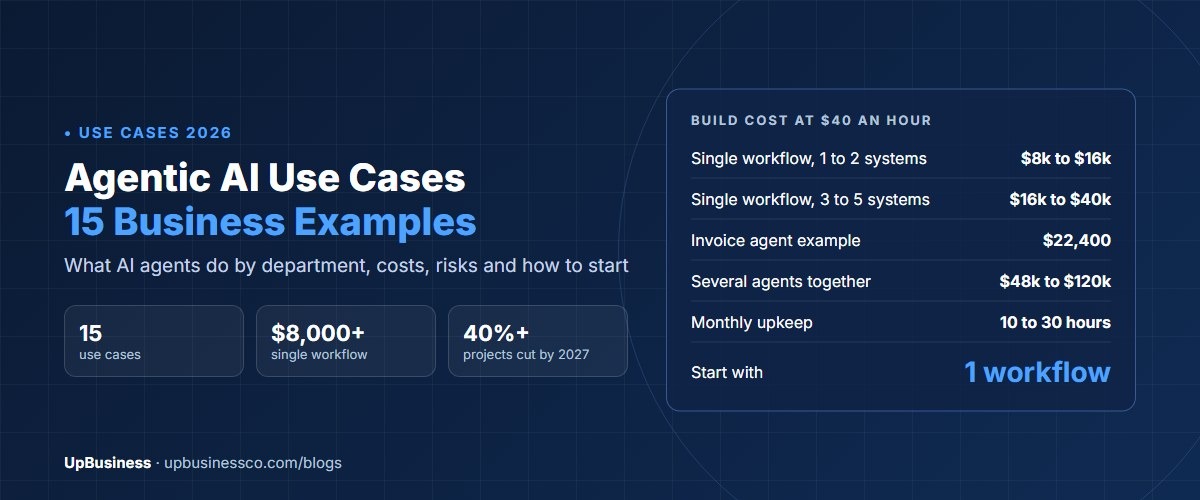
- Gartner predicts over 40% of agentic AI projects will be cancelled by the end of 2027, mostly for cost, unclear value or weak risk controls.
- Start with one high-volume workflow, keep a human approval step for money and customer-facing actions, and measure one number.
- Most single-workflow agents cost about $10,000 to $40,000 to build with an Indian partner.
What Is Agentic AI?
An AI agent is software that is given a goal, decides the steps to reach it and uses tools to act. The tools are your systems: email, a helpdesk, a CRM, an ERP, a database or a payment platform. A chatbot answers. An agent does.
| Chatbot | Rule-based automation | AI agent | |
|---|---|---|---|
| What it does | Answers questions | Follows fixed steps | Plans steps and acts toward a goal |
| Handles new situations | Only in conversation | No, breaks on exceptions | Yes, within its limits |
| Uses your systems | Rarely | Yes, fixed connections | Yes, chooses which tool to use |
| Example | Explains the refund policy | Sends an email when a form arrives | Checks the order, issues the refund, updates the ticket |
Gartner warns about "agent washing", where existing chatbots and automation tools are renamed as agents. It estimates only about 130 of the thousands of companies claiming agentic AI offer the real thing[1]. When a partner pitches an agent, ask what decisions it makes on its own and which systems it can change.
Agentic AI Use Cases at a Glance
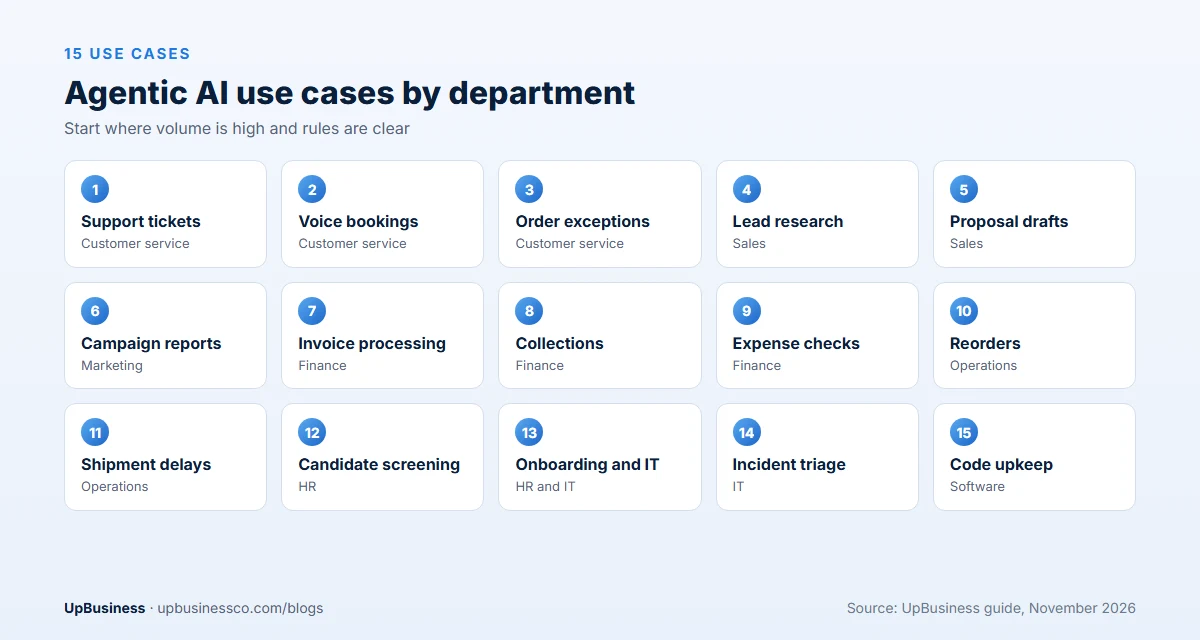
| Use case | Department | Human check | Typical build cost |
|---|---|---|---|
| 1. Support ticket resolution | Customer service | Refunds over a limit | $16,000 to $40,000 |
| 2. Voice agent for bookings | Customer service | Edge cases passed to staff | $12,000 to $32,000 |
| 3. Order and delivery exceptions | Customer service | Compensation offers | $14,000 to $32,000 |
| 4. Lead research and qualification | Sales | Before outreach | $10,000 to $24,000 |
| 5. Proposal and RFP drafting | Sales | Every draft | $12,000 to $30,000 |
| 6. Campaign reporting | Marketing | Spot checks | $8,000 to $20,000 |
| 7. Invoice processing | Finance | Mismatches and new suppliers | $16,000 to $36,000 |
| 8. Collections follow-up | Finance | Disputes | $10,000 to $24,000 |
| 9. Expense and policy checks | Finance | Flagged claims | $10,000 to $24,000 |
| 10. Purchase order matching and reorders | Operations | Orders over a limit | $16,000 to $40,000 |
| 11. Shipment exception handling | Operations | Carrier changes | $16,000 to $40,000 |
| 12. Candidate screening and scheduling | HR | Every shortlist | $10,000 to $24,000 |
| 13. Employee onboarding and IT requests | HR and IT | Access to sensitive systems | $12,000 to $30,000 |
| 14. IT incident triage | IT | Fixes in production | $16,000 to $40,000 |
| 15. Code maintenance and test writing | Software | Every code change | $12,000 to $36,000 |
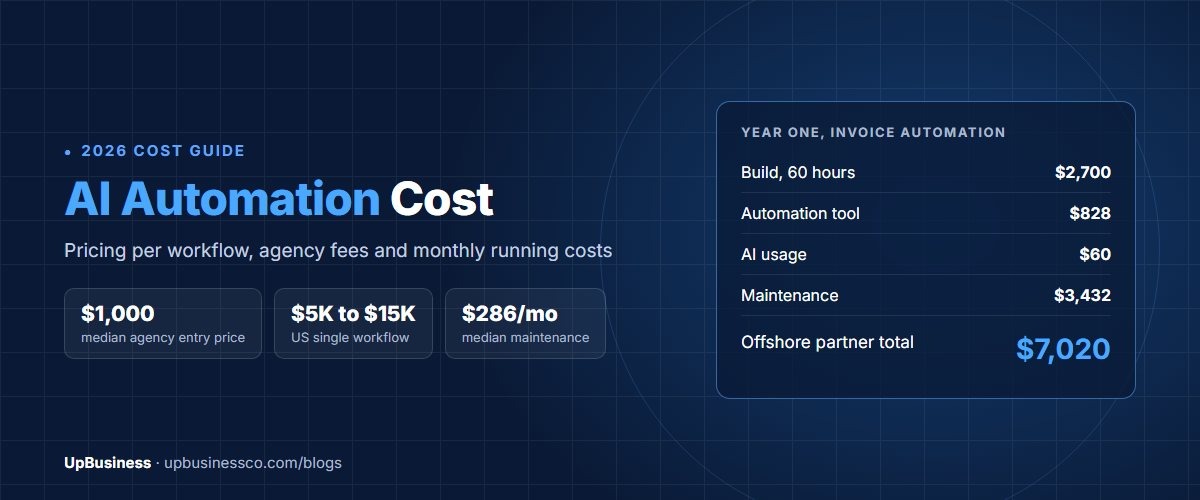
Costs are our estimates for a custom build with an Indian partner at about $40 an hour. They assume one workflow, two to four system connections and a review screen for staff. Our AI automation cost guide explains what moves these numbers.
Customer Service Use Cases
1. Support ticket resolution. The agent reads a ticket, looks up the customer and order, checks the policy, then acts: resets an account, changes an address, issues a refund within a set limit or escalates with a summary. Track the share of tickets resolved without a human and the customer rating on those tickets.
The best-known example is Klarna. In February 2024, it said its AI assistant handled 2.3 million conversations in its first month, two-thirds of its customer service chats, doing work equal to 700 full-time agents[2]. Few companies have that volume, but the pattern scales down. Our guide to AI customer support: build vs buy compares custom agents with ready platforms.
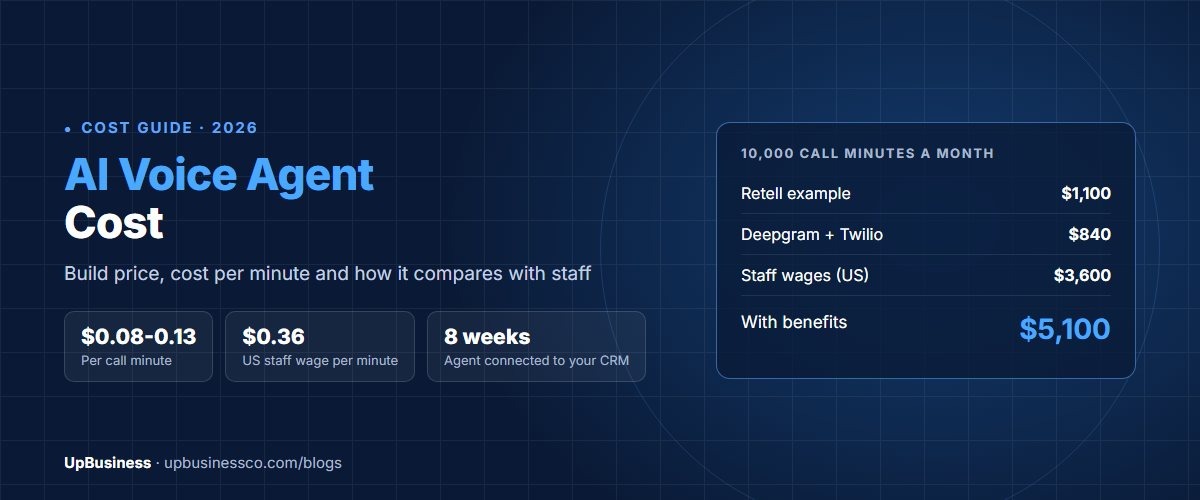
2. Voice agent for bookings. A phone agent answers calls, checks a calendar, books, moves or cancels appointments and sends confirmations. It suits clinics, salons, repair services and property viewings. Our AI voice agent cost guide covers call costs and setup.
3. Order and delivery exceptions. When a parcel is late or damaged, the agent checks tracking, contacts the carrier, tells the customer and offers a fix within rules you set. It turns a stream of "where is my order" messages into a few cases for staff.
Sales and Marketing Use Cases
4. Lead research and qualification. The agent takes a new lead, researches the company, scores it against your ideal customer and writes a short brief in the CRM. A salesperson decides who to contact. Track time from lead to first contact.
5. Proposal and RFP drafting. The agent reads a request for proposal, finds matching answers in past proposals and case studies, and drafts a response with gaps marked. This works best with a well-organised library of past answers, often searched with RAG. Our RAG vs fine tuning guide explains that method.
6. Campaign reporting. Each week, the agent pulls numbers from ad platforms, analytics and the CRM, spots changes and writes a plain-language summary with charts. A marketer checks it before it goes to leadership.
Finance Use Cases
7. Invoice processing. The agent reads invoices from email, pulls out supplier, amounts and line items, matches them to purchase orders and goods received, and posts clean ones to the accounting system. Mismatches go to a person with the reason stated. Document reading is the first step here, and our guide to intelligent document processing services covers it in detail.
8. Collections follow-up. The agent tracks overdue invoices, sends polite reminders in the right tone, answers simple questions such as "please resend the invoice" and passes disputes to the finance team.
9. Expense and policy checks. The agent checks each expense claim against policy, receipts and limits, approves clean claims and flags the rest with a reason. Finance teams spend their time on the flagged few.
Operations and Supply Chain Use Cases
10. Purchase order matching and reorders. The agent watches stock levels, sales and supplier lead times, then drafts purchase orders for approval. Orders above a set amount always need a person.
11. Shipment exception handling. When a shipment is delayed, the agent checks carrier updates, works out which customer orders are affected, suggests options such as another carrier or a split shipment and updates customers once a person approves. Our guide to logistics software development covers the systems behind this.
HR and IT Use Cases
12. Candidate screening and scheduling. The agent reads applications, checks them against must-have criteria, asks candidates short follow-up questions and books interviews into calendars. A recruiter reviews every shortlist. Screening decisions affect people's livelihoods, so keep this human-led and check results for bias.
13. Employee onboarding and IT requests. The agent creates accounts, assigns training, answers common questions and handles routine IT requests such as password resets and software access. Access to finance or customer data needs a manager's approval.
14. IT incident triage. When an alert fires, the agent gathers logs, checks recent changes, finds similar past incidents and writes a first diagnosis for the engineer on call. It can run safe checks itself. Fixes in live systems stay with people.
Software Development Use Case
15. Code maintenance and test writing. Coding agents can upgrade libraries, fix simple bugs, write missing tests and open a change for review. Every change must pass tests and a human code review before it is merged. This is one of the most active areas for agents, and it works best in codebases that already have good tests.
Agentic AI Use Cases by Industry
| Industry | Strong first use cases |
|---|---|
| Healthcare | Appointment voice agents, referral intake, prior authorization drafts |
| Insurance | Claims intake, document checks, policy servicing requests |
| Banking and fintech | Dispute intake, KYC document checks, collections follow-up |
| Ecommerce and retail | Order exceptions, returns, product data clean-up |
| Logistics | Shipment exceptions, proof of delivery checks, carrier emails |
| Professional services | Proposal drafting, time entry checks, client onboarding |
| SaaS and software | Support resolution, onboarding help, code maintenance |
For deeper industry guides, see AI in healthcare use cases and insurance software development.
How to Pick Your First Agentic AI Use Case
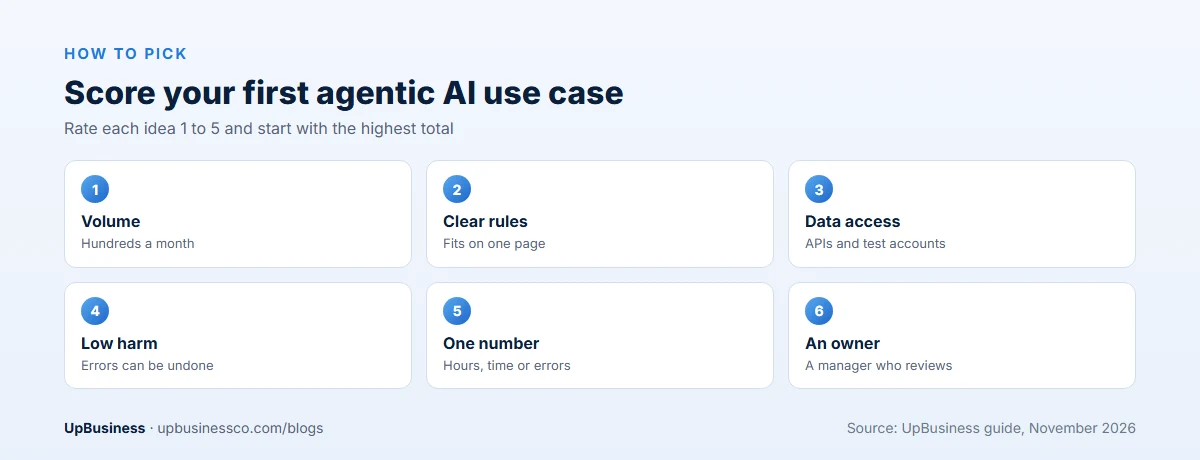
Gartner advises using agentic AI only where it delivers clear value or return on investment[1]. Score each idea from 1 to 5 on these six points and start with the highest total:
- Volume. Does the task happen hundreds of times a month?
- Clear rules. Could you write the steps and limits on one page?
- Data access. Can the agent reach the systems through APIs with test accounts?
- Low harm from mistakes. Can errors be caught and undone before they hurt a customer?
- One number to measure. Hours saved, response time, error rate or cash collected.
- An owner. Is there a manager who wants this and will review the agent's work?
Avoid starting with tasks that are rare, poorly documented, or where one mistake is costly and hard to reverse.
What Agentic AI Costs
| Type of agent | Typical hours | Build cost at $40/h |
|---|---|---|
| Single workflow, 1 to 2 systems, staff approve each action | 200 to 400 | $8,000 to $16,000 |
| Single workflow, 3 to 5 systems, approvals only for exceptions | 400 to 1,000 | $16,000 to $40,000 |
| Several agents working together across departments | 1,200 to 3,000 | $48,000 to $120,000 |
Running costs come from model usage, hosting and upkeep. Model costs are usually cents per task, but agents that loop through many steps can cost far more than a chatbot answer, so ask for a cost per completed task at your expected volume. Budget 10 to 30 hours a month for monitoring, prompt fixes and system changes. Low-code tools such as n8n can cut build costs for simpler agents. Our n8n automation services guide explains when that works.
Ready-Made Agent Platforms or a Custom Build?
Many software products now include agents: helpdesks, CRMs, accounting tools and IT service platforms. If your process lives inside one of those tools, try its built-in agent first. Setup takes days, not months, and the provider handles updates.
A custom agent makes sense when the workflow crosses several systems, such as email, an ERP and a carrier portal, when your rules are unusual, or when you need full control over data and logs. Custom agents cost more up front but fit your process exactly. Many companies use both: built-in agents inside single tools and one custom agent for the workflow that matters most.
A 90-Day Rollout Plan
- Days 1 to 15: pick the use case, write the rules, gather 200 to 300 real examples and agree the success number.
- Days 16 to 45: build the agent, connect systems with test accounts and add the staff review screen.
- Days 46 to 75: run in shadow mode next to staff and compare results every week.
- Days 76 to 90: let it act alone on low-risk cases, review the numbers and decide whether to widen it.
Worked Example: An Invoice Processing Agent
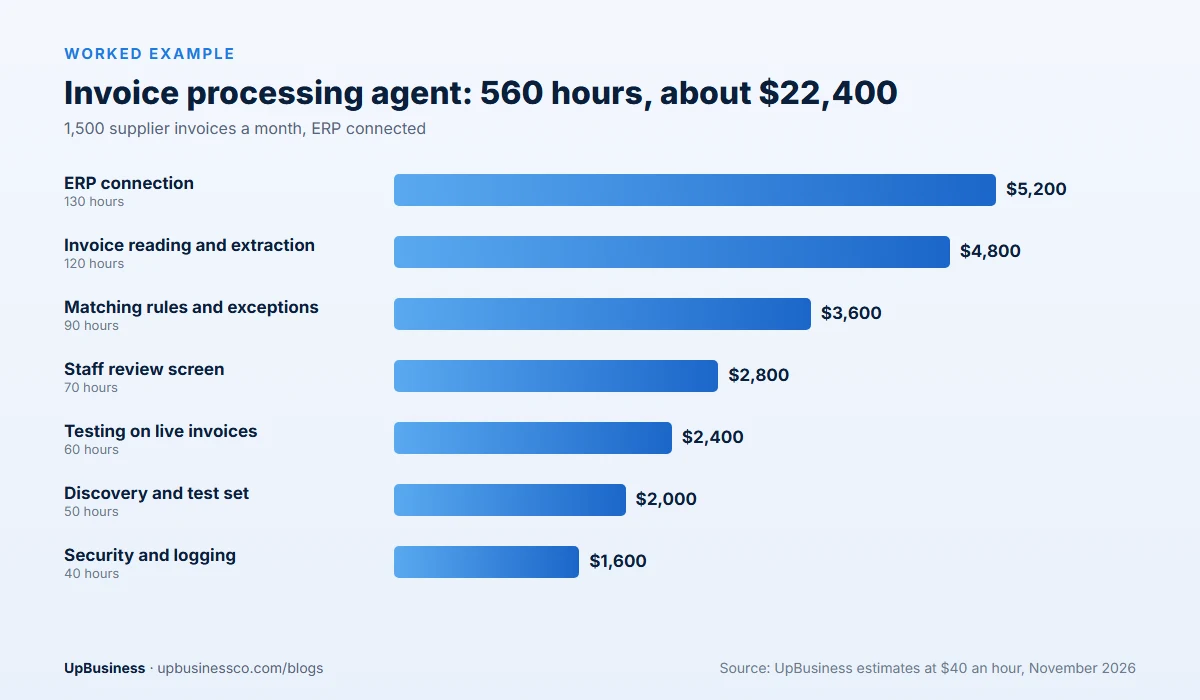
A distributor receives about 1,500 supplier invoices a month by email, in PDF and scanned formats. Two staff spend most of their week keying them in and chasing mismatches. The company builds an agent that reads each invoice, matches it to the purchase order and goods received note, posts clean ones and sends the rest to staff with a reason.
| Work | Hours | Cost at $40/h |
|---|---|---|
| Discovery and 300-invoice test set | 50 | $2,000 |
| Invoice reading and extraction | 120 | $4,800 |
| ERP connection: orders, receipts, posting | 130 | $5,200 |
| Matching rules and exception reasons | 90 | $3,600 |
| Staff review screen | 70 | $2,800 |
| Security, logging and permissions | 40 | $1,600 |
| Testing on live invoices and launch | 60 | $2,400 |
| Total | 560 | $22,400 |
In the first month, the agent runs in shadow mode: it prepares every invoice, but staff still post them and compare. From month two, it posts invoices that match exactly and stay under a set amount. If about 70% of invoices match cleanly, which is this example's planning figure, the team's keying work drops by more than half. Measure the real rate on your own invoices during the pilot before you count savings.
Risks, and Why Agentic AI Projects Get Cancelled
Gartner predicts over 40% of agentic AI projects will be cancelled by the end of 2027, citing rising costs, unclear business value and weak risk controls[1]. Most failures are avoidable:
- No clear goal. "Use AI agents" is not a goal. "Cut invoice keying hours by half" is.
- Too much freedom too soon. Give an agent narrow permissions and widen them as it proves itself.
- Prompt injection. An email or document can contain hidden instructions. Agents that read outside content need guards. Our LLM security checklist covers this.
- No audit trail. Every action should be logged with the reason, so staff can check and undo it.
- Cost surprises. Agents that retry or loop can run up model bills. Set limits per task.
- Poor data. If your ERP or CRM data is messy, the agent will act on mistakes faster.
Human in the Loop: Three Levels of Control
| Level | How it works | Use for |
|---|---|---|
| Suggest | Agent prepares, a person approves every action | First month of any agent, customer-facing actions |
| Act with limits | Agent acts within set rules, people handle exceptions | Proven workflows with low-risk actions |
| Act and report | Agent acts and sends a daily summary | Internal, easily reversed tasks only |
Most companies should start every agent at "suggest" and move up only when the error rate is known and low.
How to Measure Success
Agree the measures before building. Useful ones are tasks completed without help, staff hours saved, time to resolve, error rate found in spot checks, cost per completed task and customer or staff satisfaction. McKinsey's research shows many companies experimenting with agents but far fewer scaling them[3]. A clear before-and-after number is what moves a pilot into wider use. Our AI adoption statistics put these trends in context.
Questions to Ask an AI Agent Development Partner
- Which decisions will the agent make alone, and which need approval?
- What exactly can it change in our systems, and how are permissions limited?
- How do you test it before launch, and on what data?
- What will it cost per completed task at our volume?
- How are actions logged, and how do we undo a mistake?
- Can you show a live agent you've built, with its results?
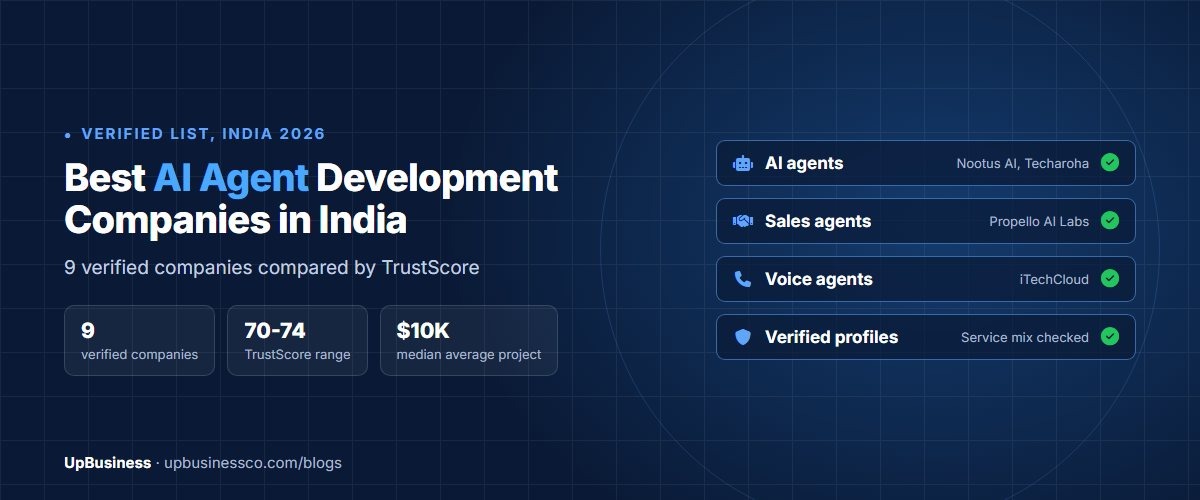
Our guide to choosing an AI agent development company in India covers selection in more depth, and our AI automation services guide explains how agents fit with simpler automation.
Find an AI Agent Development Partner on UpBusiness
UpBusiness lists AI agent development companies with verified profiles, TrustScores, team sizes and average project sizes. Post your requirement and we match you with three companies that fit your budget. Ask each to scope a pilot for your highest-scoring use case, with one number to beat and a human approval step built in.